Printable To-Do List (Free PDF)

Plan the day or the whole week on one page — type your tasks on screen or print it and tick them off by hand.

Download the ready-made PDF — no options, no sign-up. Variants below.
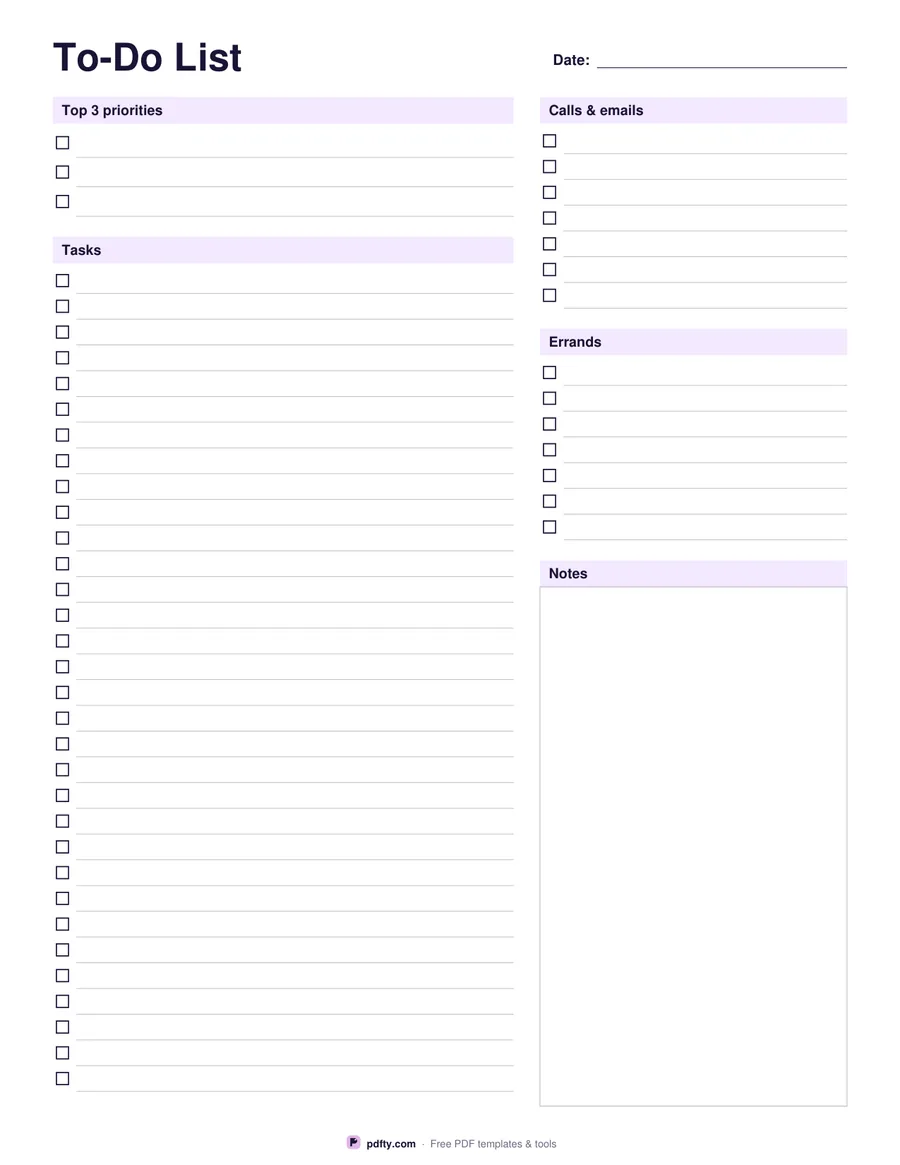
Printable daily to-do list with top 3 priorities
Layout
Paper size
Fill & edit free online

Free · no watermark · no sign-up for your first 20 downloads a day

Fillable PDF — type into the fields online or in any PDF viewer before printing.

The daily to-do list starts with your top three priorities, then gives you a long list of tasks with checkboxes, separate blocks for calls & emails and errands, and a notes box. It keeps the important work at the top so it doesn't get lost among small jobs.

The weekly version puts Monday to Sunday side by side on one landscape page, plus a "Next week" box for anything that has to wait. Each day has fourteen lines with checkboxes.

Every line is a fillable form field, so you can type the list on a computer or phone and print it, or print blank pages and write by hand. US Letter or A4.
How to use it

  1. 1

    Pick daily or weekly

    Daily gives one page per day; weekly fits the whole week on a landscape page.

  2. 2

    Write your top 3

    On the daily page, start with the three tasks that matter most today.

  3. 3

    Add the rest

    Type or write tasks, calls and errands; tick the box when each is done.

  4. 4

    Print or fill it in

    Print at 100% ("Actual size") so lines and boxes keep their exact spacing, or fill the form fields on screen in any PDF viewer.

Frequently asked questions

Yes. There is no watermark and no sign-up for your first 20 downloads each day; after that a free account keeps downloads going. You may print the file as often as you like for personal, school or business use.
Yes. Every line is a form field — fill it in Chrome, Edge, Preview or Adobe Reader, or open it in pdfty's online editor.
Yes, the checkboxes work in most PDF viewers, so you can keep the list on a tablet and check items off digitally.
Three is a realistic number of important tasks for one day. Everything else goes in the task list below.
Yes — switch the layout to Weekly to get Monday to Sunday plus a Next week box on one page.

More free templates

Work with your PDF