Blog
Guides, comparisons and tips for working with PDF.
 Comparisons
Adobe Acrobat Free vs Pro: What $20/mo Actually Buys
Free Adobe covers more than people think — and less than Adobe implies. A task-by-task look at Reader and the online tools vs Acrobat Pro at ~$20/mo.
·7 min read Comparisons
Adobe Acrobat vs Foxit: Which Paid PDF Editor Wins?
Acrobat Pro or Foxit PDF Editor? A fair comparison of price, features, OCR, forms and licensing — and when you don't need a paid editor at all.
·7 min read Comparisons
Best Free PDF Compressor: 5 Honest Picks Compared
Five free PDF compressors compared honestly — quality control, size limits, privacy, watermarks — and which one actually fits your file and workflow.
·8 min read Comparisons
Best Free PDF Editor in 2026: 5 Honest Picks
Sejda, LibreOffice Draw, PDFescape, Mac Preview and Foxit ranked honestly for free PDF editing — what each can actually change, and where the walls are.
·9 min read Comparisons
Best Free PDF Form Filler: 5 Honest Picks
Acrobat Reader, Chrome and Edge, PDFescape, Mac Preview and Sejda ranked honestly for filling PDF forms free — interactive vs flat forms explained.
·9 min read Comparisons
Best Free PDF Merger: 5 Ways to Combine Files
Five free ways to merge PDFs compared — pdfty, iLovePDF, PDF24, Mac Preview and CLI tools — with reorder UI, limits, privacy and offline options.
·7 min read Comparisons
Best Free PDF to Word Converter: 5 Options Tested
An honest comparison of free PDF to Word converters — pdfty, Adobe online, Smallpdf, Google Docs and iLovePDF — with limits, accuracy and OCR caveats.
·7 min read Comparisons
Foxit vs Nitro: Which Budget PDF Editor Should You Buy?
Foxit PDF Editor vs Nitro compared honestly — price, speed, e-sign, platforms, security — the two main Acrobat alternatives, and who each one really fits.
·8 min read Comparisons
iLovePDF vs PDF24: Which Free PDF Toolset Wins?
iLovePDF vs PDF24 compared honestly — free limits, ads, desktop apps, mobile, privacy and pricing. Which one fits how you actually work with PDFs.
·8 min read Comparisons
iLovePDF vs Sejda: Which Free PDF Tool Wins in 2026?
iLovePDF vs Sejda compared honestly — free-tier limits, the text editor gap, pricing, privacy. Which one fits your workflow, and where both hit walls.
·8 min read Comparisons
Nitro vs Adobe Acrobat: Which PDF Editor Wins in 2026?
Nitro PDF Pro vs Adobe Acrobat Pro compared honestly — price models, e-sign, OCR, platform support — plus who each one actually fits, use case by use case.
·8 min read Comparisons
PDFelement vs Adobe Acrobat Pro: The Honest Comparison
Wondershare PDFelement costs roughly half of Acrobat Pro. Where the budget rival genuinely matches Adobe, where it doesn't, and who should buy which.
·8 min read Comparisons
Mac Preview vs Adobe Acrobat: Do You Need to Pay?
Can the built-in Mac Preview app replace Adobe Acrobat? An honest comparison — signing, forms, editing, OCR — and where free web tools fill the gap.
·8 min read Comparisons
Smallpdf vs Adobe Acrobat: Do You Really Need Acrobat?
Smallpdf vs Adobe Acrobat compared honestly — price, features, learning curve. When a web PDF tool is enough and when only Acrobat will do the job.
·8 min read Comparisons
Smallpdf vs iLovePDF: Which One Actually Fits You?
Smallpdf or iLovePDF? An honest side-by-side of free-tier limits, pricing, tools and upsells — plus when a third free option makes more sense.
·7 min read Comparisons
CleverPDF Alternative (Free): Same Tasks, Clearer Limits
CleverPDF is a solid free online PDF toolset. Here's an honest CleverPDF vs pdfty on privacy, per-session limits, sign-up and UX — both free tools.
·7 min read Comparisons
Foxit Alternative (Free, Browser-Based, No Install)
A fair, honest look at free Foxit alternatives. Foxit PDF Editor is a strong paid desktop app — here's when a free browser tool covers the job instead.
·7 min read Comparisons
Nitro PDF Alternative (Free, Cross-Platform, No Trial)
An honest Nitro PDF alternative comparison. Nitro Pro is a solid paid Windows desktop app — here's when a free, cross-platform browser tool does the job.
·7 min read Comparisons
PDF24 Alternative (Free, No Ads, Cross-Platform)
PDF24 is genuinely free but ad-supported online and Windows-only offline. Here's an honest side-by-side with a free, no-ads, cross-platform alternative to PDF24.
·6 min read Comparisons
PDF2Go Alternative (Free, No Ads, No Sign-Up)
PDF2Go is a solid browser toolset, but the free tier has size limits and ads. Here's an honest side-by-side with a cleaner free alternative — limits and all.
·7 min read Comparisons
PDFescape Alternative (Free, Modern, No Account)
PDFescape's free tier caps pages and file size and the editor feels dated. Here's an honest side-by-side with a modern free alternative — limits and tools compared.
·7 min read Comparisons
Soda PDF Alternative (Free, No Trial, No Account)
Soda PDF is a powerful desktop and online suite, but most features sit behind a trial or subscription. Here's an honest free alternative for everyday tasks.
·7 min read Comparisons
Xodo Alternative (Free): When You Need Tools, Not Markup
Xodo is a great mobile PDF reader and annotator. But for merging, converting or OCR in a browser, here's an honest, no-signup free alternative compared.
·7 min read Comparisons
Free Adobe Acrobat Alternative (What Actually Replaces the $20/mo)
Acrobat Pro is ~$20/mo. Most people only use a handful of features. Here's an honest map of what's genuinely free — and where Acrobat still wins.
·7 min read Guides
How to Add an Image to a PDF for Free (Logo, Photo or Signature)
Add an image to a PDF free — put a signature image on with Sign PDF, drop a logo or photo in with Preview, or add a picture as a new page via JPG to PDF + Merge.
·6 min read Guides
How to Add Text to a PDF for Free (Type on Any PDF)
Add text to a PDF free — fill a blank line or annotate with macOS Preview, Acrobat Reader Fill & Sign or your browser, plus the Word route for heavy edits.
·7 min read Guides
How to Convert a PDF to Google Docs (2 Honest Ways)
Turn a PDF into an editable Google Doc. The direct Drive method, the cleaner PDF-to-Word route, and honest quality expectations for each — plus scanned PDFs.
·6 min read Guides
How to Edit a PDF for Free (What Each Tool Really Can and Can't Do)
Editing a PDF free — honestly. Which built-in tool handles text, annotations, signatures, pages and redaction, plus the convert-to-Word route for real text edits.
·8 min read Guides
How to Fill Out a PDF Form (Free, No Adobe Needed)
Fill out any PDF form for free — interactive fields or a flat scan. Browser, macOS Preview, and the free Acrobat Reader Fill & Sign, step by step.
·7 min read Guides
How to Highlight Text in a PDF (Free, Every Device)
Highlight and mark up text in a PDF for free — macOS Preview, Acrobat Reader, browser viewers, and phones. Keep highlights when you export or share.
·7 min read Guides
How to Make a Fillable PDF (Free Routes, Honestly Explained)
Make a fillable PDF for free. The real difference between a print-and-fill PDF and a true interactive form — plus the free tools that build each.
·7 min read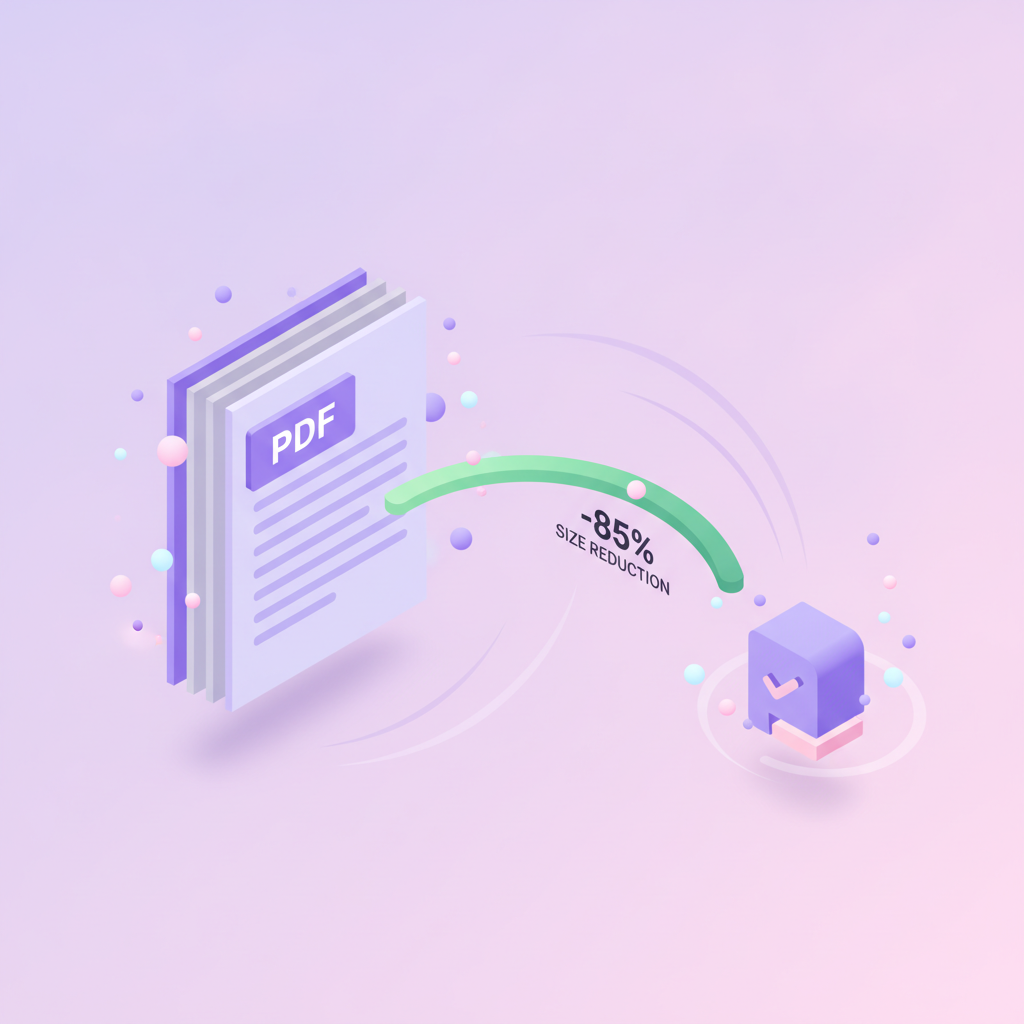 Guides
How to Reduce PDF Size for Email (Gmail, Outlook, Exchange)
PDF too big to email? Real attachment limits for Gmail, Outlook, and Exchange — plus the base64 gotcha — and four ways to get under them fast.
·6 min read Guides
How to Save a Resume as a PDF (Word, Google Docs, Pages, Canva)
Save your CV as a PDF so fonts, spacing, and layout never break in transit. Step-by-step for Word, Google Docs, Apple Pages, and Canva — plus ATS tips.
·7 min read Guides
How to Sign a Contract Online for Free (No Printing)
Sign a contract PDF without printing or scanning. Draw, type, or upload a signature free — plus e-signature legal basics and when you need a full e-sign service.
·7 min read Comparisons
Sejda Alternative (Free, No 3-Tasks-Per-Hour Wall)
Sejda's free tier caps you at roughly 3 tasks/hour. Here's an honest side-by-side with a free alternative — limits, privacy, signup, and tools compared.
·6 min read Guides
Combine Images into One PDF (JPG, PNG — Free)
Merge JPG and PNG images into one PDF for free: order the pages, pick A4 or fit-to-image, compress the result. Works in any browser, no sign-up.
·8 min read Guides
How to Combine PDF Files into One (Free)
Combine PDF files into one document for free — in your browser, on Windows, or on Mac. Ordering, page ranges, mixed files, and file-size math explained.
·8 min read Guides
Combine Multiple Word Documents into One PDF (or One File)
Combine multiple Word files into one document or one PDF — two workflows, step by step. When to merge PDFs vs merge inside Word, and why it matters.
·7 min read Guides
Convert PDF to Editable Word Document — Free (Real .docx, Not Just Text)
Convert a PDF document to Word for free and get a truly editable .docx — tables, fonts, layout intact. When you need OCR first, and how to fix artifacts.
·8 min read Guides
Convert PDF to Excel Free (Tables That Actually Work)
Convert PDF to Excel free and get real rows and columns, not a mess. Text PDFs vs scanned statements, OCR, and post-conversion cleanup tips.
·8 min read Guides
How to Convert a PDF File to HTML (Clean Web Pages)
Turn a PDF into a clean HTML page: extract the text, use pdftohtml or Calibre, or embed instead. An honest look at what survives the conversion.
·8 min read Guides
Convert PDF to PowerPoint Presentation (Editable Slides)
Convert a PDF file to a PowerPoint presentation with editable text and images. What converts cleanly, what doesn't, and when to use images instead.
·8 min read Guides
Convert PowerPoint to PDF Free (Slides, Notes, Handouts)
Convert PowerPoint to PDF free in your browser — slides, notes pages, or handouts. What survives, what flattens, and how to keep files small.
·8 min read Guides
How to Extract Images from a PDF (Original Quality)
Pull the actual embedded JPG and PNG files out of a PDF at original resolution — no screenshots, no quality loss. Free, no sign-up, 30 seconds.
·7 min read Guides
Extract Pages from a PDF Free (Save Pages as a New PDF)
Pull specific pages out of a PDF and save them as a new file — free, no sign-up. Page ranges like 2-5, 8, 11 supported. Plus two built-in fallbacks.
·7 min read Guides
How to Add Pages to a PDF (Insert, Append, Rearrange)
Add pages to a PDF document free: insert blank pages, append pages from another PDF at any position, and drop scanned pages into an existing file.
·9 min read Guides
How to Convert Apple Pages to PDF (Mac, iPhone, Windows)
Convert Apple Pages to PDF on Mac, iPhone, or Windows. Export from Pages, the free iCloud.com trick, and what to do with no Apple device at all.
·8 min read Guides
How to Join PDF Files (Free PDF Combine Tools)
Join PDF files three ways: a free online merge tool, desktop apps, or a one-line qpdf command. Plus how to pick a PDF combine tool that won't watermark you.
·8 min read Guides
How to Turn Any Document into a PDF (Files to PDF, Every Format)
Convert any document to PDF — Word, Excel, PowerPoint, images, HTML, Markdown, Pages, plain text. The right free tool for each format, in one guide.
·8 min read Comparisons
The Best Free OCR for PDF (Tested: Online & Offline)
Which free OCR PDF tools actually make scanned PDFs searchable? We compare the real options — online and offline — and when each one wins for your scans.
·5 min read Comparisons
The Best Free PDF Tools in 2026 (Tested, Honest Picks)
We tested the popular free PDF tools — online and desktop — on real files. Here's what's actually good for compressing, merging, converting and signing in 2026.
·8 min read Guides
How to Add Page Numbers to a PDF (Free, in Seconds)
Need to add page numbers to a PDF document? Number a report, thesis or contract in seconds — pick position, style and starting number. Free, no install.
·2 min read Guides
How to Add a Signature to a PDF (Free, No Software)
Sign PDF documents free in the browser — type, draw or upload your signature onto a contract, lease or form. No install, 30 seconds, any device.
·8 min read Guides
How to Black Out Text in a PDF (Real Redaction, Not a Highlighter)
Need to redact PDF files before sending? Hide names, addresses or numbers properly — real redaction removes the text underneath, not just covers it.
·7 min read Guides
How to Compare Two PDFs (Spot Every Change in Seconds)
Two versions of a contract, two drafts of a report — see every difference highlighted side by side. No more eyeballing 50 pages.
·5 min read Guides
How to Convert Excel to PDF Without Cutting Off Columns
Converting Excel to PDF and it cuts off your last columns or splits tables across pages? Here's the fix — clean, one-page-wide PDFs that print right.
·6 min read Guides
How to Convert HTML or a Web Page to PDF (Free)
Convert web pages to PDF free — keep layout, images and clickable links. Paste a URL or upload an HTML file, get a clean PDF in about 10 seconds.
·4 min read Guides
How to Convert JPG to PDF (Free, Combine Multiple Images)
Turn photos or scans into a single PDF — combine multiple JPGs, set page size and order. Free, no install, about 10 seconds.
·2 min read Guides
How to Convert PDF to Word on a Mac (Free, No Software)
Need to edit a PDF in Word on your Mac? Convert it to editable .docx in 5 seconds — no Adobe, no install, layout preserved. Free.
·5 min read Guides
How to Crop a PDF Page (Trim Margins, Remove Headers)
Got huge white margins or unwanted headers? Crop PDF files online in 30 seconds — free, no signup, all pages at once or each page individually.
·5 min read Guides
How to Flatten a PDF (And Why You Should Before Sending It)
Form fields, comments, signatures, layers — anyone who opens your PDF can change them. Flattening locks everything in so the file is final.
·5 min read Guides
How to Merge PDF Files on a Mac (Free, No Software)
Combine multiple PDFs into one — without buying Acrobat. Two solid options: the built-in Mac Preview, or pdfty in the browser. 30 seconds either way.
·6 min read Guides
How to Merge PDFs Without Adobe (Free, No Subscription)
Combine PDFs without buying Acrobat Pro. Three real free options — pick the one that fits how you work. Comparison + step-by-step.
·5 min read Guides
How to Password Protect a PDF (Free, No Software)
Need to password protect a PDF document before emailing it? Add a strong password in 5 seconds. No install, no signup, AES-256 encryption. Free.
·7 min read Guides
How to Fix a Damaged or Corrupted PDF (Free, Often Recoverable)
PDF won't open? Pages missing or showing blank? Often recoverable in 30 seconds with a repair tool. Free, no install.
·5 min read Guides
How to Rotate a PDF Permanently (So It Stays Fixed)
Rotated a PDF in your viewer and it came back sideways? Here's how to rotate PDF pages for real — a fix that saves with the document, forever.
·5 min read Guides
How to Save a Word Document as a PDF (Mac & Windows)
Convert a Word document to PDF in 5 seconds — free, no Microsoft Word required, no signup. Works with .doc and .docx, on any device or browser.
·9 min read Guides
How to Split a Large PDF Into Smaller Files (Free, 3 Ways)
Got a huge PDF that's too big to email? Split your PDF document into multiple files by page ranges, size or bookmarks — free, 30 seconds, no install.
·7 min read Guides
How to Unlock a PDF (When You Have the Password)
Remove password protection from a PDF document you legitimately own — your own statements, contracts and files. Free, 5 seconds, secure, no signup.
·7 min read Guides
How to Watermark a PDF (Free, Text or Image)
Watermark PDF files in 30 seconds: add a 'CONFIDENTIAL', 'DRAFT' or company logo watermark across every page of your PDF. Free, no install, no signup.
·5 min read Comparisons
iLovePDF Alternative (Free, Higher Limits, No Upsell Maze)
Looking for an iLovePDF alternative? Here's a free tool with the same everyday features, 20 MB limits, no watermark — plus an honest side-by-side.
·3 min read Comparisons
Free Smallpdf Alternative (No Daily Limit, No Watermark)
Hit Smallpdf's 2-task daily limit? Here's a genuinely free alternative with higher file-size limits and no watermarks — plus how the two compare.
·4 min read Guides
What Is PDF/A? (And When You Actually Need It)
PDF/A documents are the archival cousin of regular PDF — same file, built to stay readable for decades. Plain-English guide and how to convert in 5 seconds.
·6 min read Guides
How to Make a PDF Smaller (Without Losing Quality)
PDF file too big for email or an upload? Compress your PDF file free in 3 clicks — smaller file size, same quality. No software, no signup, 5 seconds.
·9 min read


