Printable Timesheet Template (Free PDF)

Record hours worked each day — including lunch breaks and overtime — and get them signed off.

Download the ready-made PDF — no options, no sign-up. Variants below.
Printable weekly timesheet template
Pay period
Paper size
Fill & edit free online

Free · no watermark · no sign-up for your first 20 downloads a day

Fillable PDF — type into the fields online or in any PDF viewer before printing.

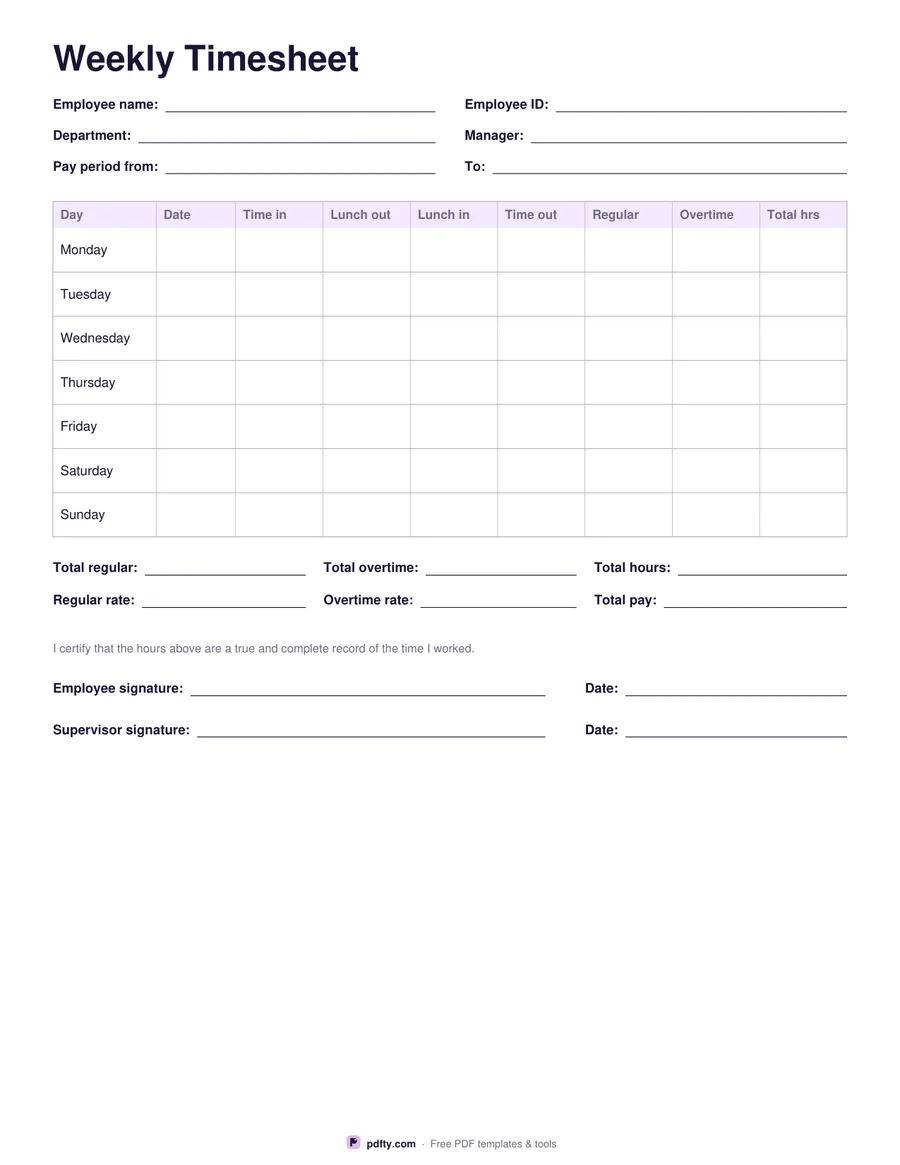
This timesheet has a row for each day with columns for the date, time in, lunch out, lunch in, time out, regular hours, overtime hours and the daily total. The header records employee name and ID, department, manager and pay period.

Underneath are totals for regular, overtime and all hours, the regular and overtime rates and total pay, a certification line and signature lines for the employee and the supervisor.

Choose a weekly time card (seven days) or a biweekly timesheet (two weeks). All fields are fillable, so staff can complete it on a computer and email it, or you can print a stack for the break room.
How to use it

  1. 1

    Fill in the header

    Employee name, ID, department, manager and the pay period dates.

  2. 2

    Record each day

    Times in and out and the lunch break; work out regular and overtime hours.

  3. 3

    Add the totals

    Total hours, rates and pay at the bottom.

  4. 4

    Sign it

    Employee and supervisor sign and date the timesheet.

Frequently asked questions

Yes. There is no watermark and no sign-up for your first 20 downloads each day; after that a free account keeps downloads going. You may print the file as often as you like for personal, school or business use.
No — hours are entered by hand so the form works in every PDF viewer. A tip: convert minutes to decimals (15 min = 0.25 h).
It depends on your country and state. In the US, non-exempt employees usually get overtime after 40 hours in a work week.
Yes — fill the PDF, then sign it with pdfty's Sign PDF tool or in the online editor.

More free templates

Work with your PDF