Cornell Notes Template (Free PDF)
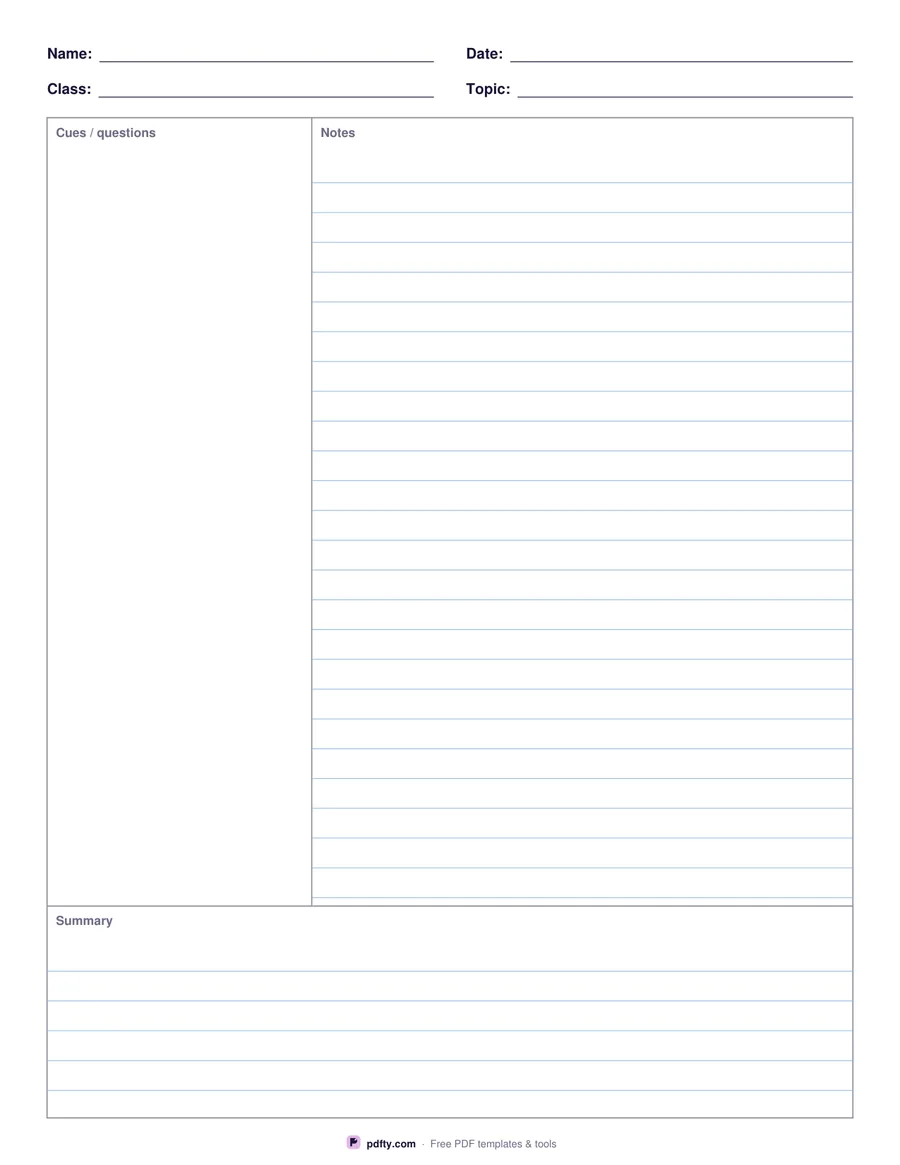
The classic Cornell note-taking layout: questions on the left, notes on the right, summary at the bottom.
Free · no watermark · no sign-up for your first 20 downloads a day
Fillable PDF — type into the fields online or in any PDF viewer before printing.
The Cornell method splits a page into three parts. During class you write notes in the wide right column; afterwards you add questions and keywords in the left cue column; at the bottom you summarize the page in a few sentences. Reviewing later is as simple as covering the notes and answering the cues.
This template has the standard 2.5-inch cue column and a 2-inch summary area, with name, class, date and topic fields at the top. Choose college-ruled lines or a blank layout for diagrams and math.
All areas are fillable, so it also works for typed notes on a laptop or tablet.