Blank Flash Cards (Free Printable PDF)

Cut-out cards for vocabulary, spelling, times tables or revision, with dashed cut lines and an optional fold so front and back line up.
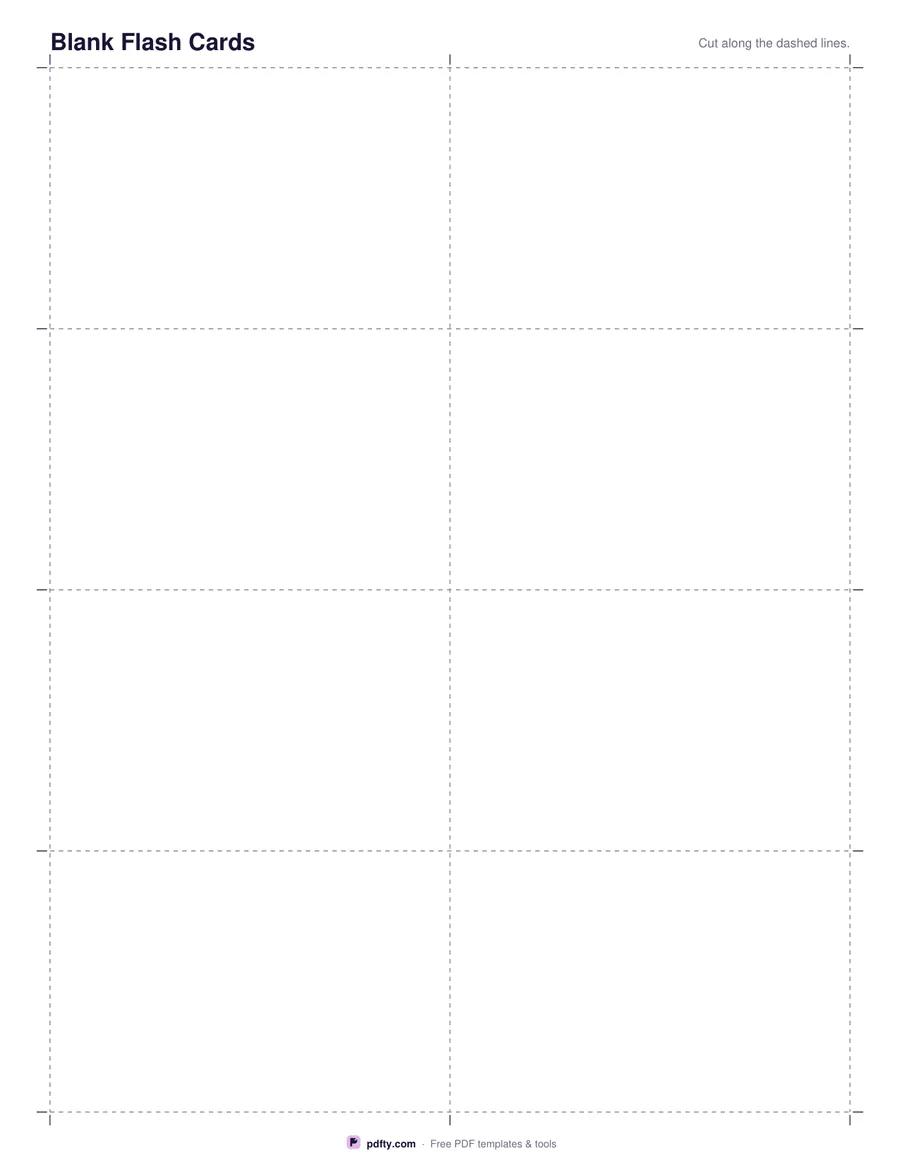
Printable sheet of blank flash cards with dashed cut lines
Cards per page
Card face
Fold line
Paper size
Fill & edit free online

Free · no watermark · no sign-up for your first 20 downloads a day

Fillable PDF — type into the fields online or in any PDF viewer before printing.

The page is divided into a grid of equal cards with dashed lines between them and short tick marks in the margins, so you can cut straight with scissors or a guillotine. Four cards per page gives each card about 3.7 by 3.4 inches; ten cards per page brings them down to index-card size. The grid always fills the sheet, so no paper is wasted on margins you do not need.

Choose blank cards for drawings, symbols and single words, or lined cards when you want handwriting to stay straight, for example for a definition or for a sentence that uses the new word. The lined option rules three or four light lines across each card face, spaced for adult and older-child handwriting rather than for beginners. The lines are pale enough that a marker pen or a colored pencil still reads clearly on top of them.

The fold option adds a dotted line across the middle of every card. Fold there after cutting and the two halves line up exactly, giving you a card with a question on the front and the answer inside. Every card face is also a text field, so you can type the terms in a PDF viewer and print a finished set instead of writing them out.
How to use it

  1. 1

    Choose the card size

    Pick 4, 6, 8 or 10 cards per page, blank or lined faces, and whether you want a fold line down the middle of each card.

  2. 2

    Type your terms (optional)

    Every card face is a text field. Click one and type the word, question or answer, or leave them all empty and write by hand.

  3. 3

    Print or fill it in

    Print at 100% ("Actual size") so lines and boxes keep their exact spacing, or fill the form fields on screen in any PDF viewer.

  4. 4

    Cut and fold

    Cut along the dashed lines using the tick marks in the margins as a guide, then fold on the dotted line if you chose the fold option.

Frequently asked questions

Yes. There is no watermark and no sign-up for your first 20 downloads each day; after that a free account keeps downloads going. You may print the file as often as you like for personal, school or business use.
Yes. Each card, or each half of a folding card, is a text field you can fill in Adobe Reader, Preview, Chrome or Edge.
It depends on the option. On US Letter, 4 per page gives roughly 3.7 by 3.4 inches, 8 per page gives about 3.7 by 1.7 inches, and 10 per page is a little smaller again.
Yes. Any card stock your printer accepts works, and heavier paper makes the cards last much longer. Print at 100% so the cut lines stay where they are.
Use the fold option: both halves of the card are on the same side of the paper, so you cut once, fold once and never have to line up a double-sided print.
Yes. The cards are deliberately blank, so the same sheet works for vocabulary, times tables, chemistry symbols or revision prompts.

More free templates

Work with your PDF