Printable Daily Planner (Free PDF)

One day on a single page: an hourly column from 6 am to 9 pm beside your priorities, to-do list, meals and notes.
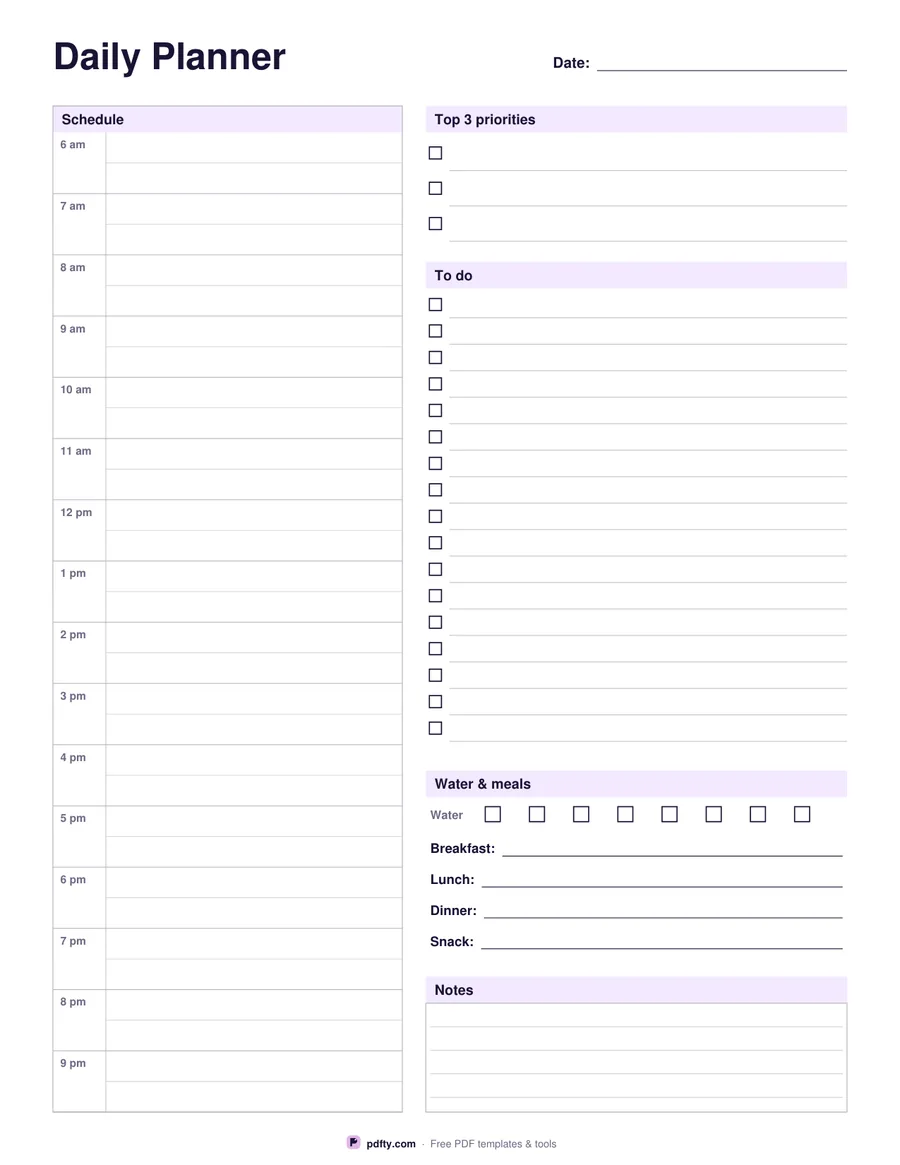
Printable daily planner with an hourly column, priorities, to-do list, meals and notes
Paper size
Fill & edit free online

Free · no watermark · no sign-up for your first 20 downloads a day

Fillable PDF — type into the fields online or in any PDF viewer before printing.

The left half of this sheet is an hourly column running from 6 am to 9 pm, sixteen rows with a faint half-hour rule inside each one so a 30-minute meeting has its own place. The right half carries everything an hour grid cannot hold: a box for the three priorities that decide whether the day counted, a long to-do checklist, a water and meals strip, and a ruled notes panel at the foot of the page.

The to-do column gives you seventeen checkbox lines on US Letter and twenty on A4, each one a form field you can type into. Water is eight small boxes to tick as you drink, and breakfast, lunch, dinner and snack each get a line of their own. Nothing is pre-printed except the hours and the labels, so the sheet works for a desk job, a shift, a study day or a Saturday.

Everything except the printed hour labels is fillable. Open the PDF in Adobe Reader, Preview, Chrome or Edge, type the date, block out meetings and list your tasks, then print the finished page — or print it empty and write by hand. It is one page, vector, and laid out separately for US Letter and A4 so it fills whichever sheet you load.
How to use it

  1. 1

    Pick your paper size

    US Letter or A4 — the layout is drawn for each one, so nothing needs scaling.

  2. 2

    Fill in the day

    Type the date, your three priorities, the hour blocks and your tasks in any PDF viewer, or leave them blank for handwriting.

  3. 3

    Print or fill it in

    Print at 100% ("Actual size") so lines and boxes keep their exact spacing, or fill the form fields on screen in any PDF viewer.

  4. 4

    Work the page

    Tick tasks and water boxes as the day goes, and print a fresh copy each morning.

Frequently asked questions

Yes. There is no watermark and no sign-up for your first 20 downloads each day; after that a free account keeps downloads going. You may print the file as often as you like for personal, school or business use.
6 am to 9 pm, one row per hour with a light half-hour line inside each row. If you need 15-minute slots or a later finish, use the Hourly Schedule template instead.
Yes. The date, every hour row, the three priorities, the to-do lines, the meal lines and the notes box are all form fields.
Seventeen on US Letter and twenty on A4, each with its own checkbox.
Print the page as many times as you need, or combine copies into a pad with pdfty's Merge PDF tool.
Yes — open it in GoodNotes, Notability or Xodo and write on it with a stylus, or fill the form fields and keep it digital.

More free templates

Work with your PDF