Printable Appointment Schedule (Free PDF)

A day of bookings on one sheet: time, client, contact, service and notes, with 24 rows for a front desk.
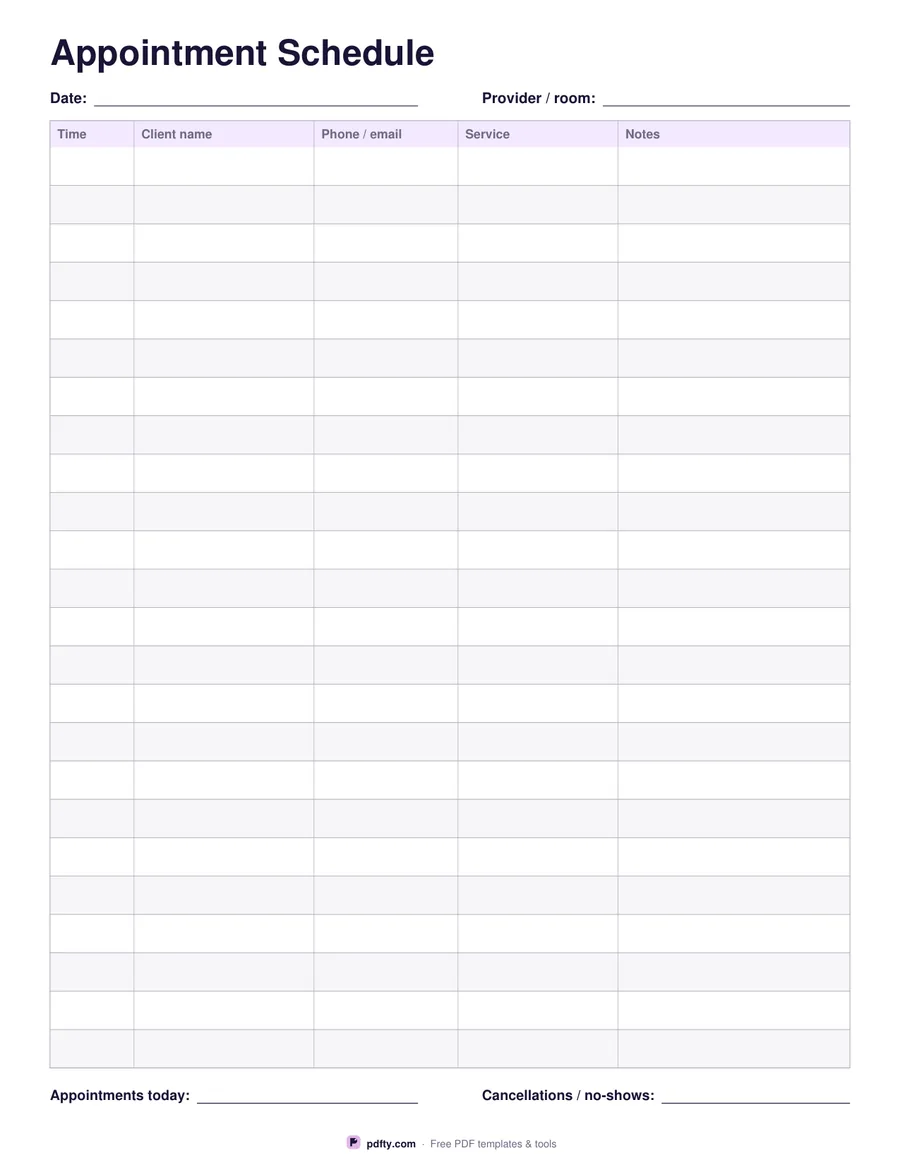
Printable appointment schedule with 24 rows for time, client, contact, service and notes
Paper size
Fill & edit free online

Free · no watermark · no sign-up for your first 20 downloads a day

Fillable PDF — type into the fields online or in any PDF viewer before printing.

This is the sheet that sits on a front desk. Twenty-four rows run down the page, each about 26 points tall, with columns for the time, the client's name, a phone number or email, the service booked and a notes column wide enough for "allergic to", "paying by card" or "running late". Alternate rows carry a light tint so your eye tracks across the page without sliding into the wrong booking.

The time column is fillable rather than pre-printed, which is deliberate: a salon running 9 to 7 in 20-minute slots and a clinic running 8 to 4 in 15-minute ones both need the same grid. Fill the times once for your usual day, save the file, and print copies for the week. At the top, date and provider or room fields let one sheet cover one chair, one treatment room or one stylist.

Under the grid are two short lines for the day's totals: appointments taken, and cancellations or no-shows. Every cell is a form field, so a receptionist can type bookings during the day and print the sheet for the record, or print it blank each morning and write in pencil. The page carries no branding beyond a small pdfty line at the foot, so it does not look out of place on a reception desk.
How to use it

  1. 1

    Set up the sheet

    Type the date and the provider, chair or room at the top.

  2. 2

    Fill the time column

    Write your usual opening slots down the time column once and keep the file as your template.

  3. 3

    Print or fill it in

    Print at 100% ("Actual size") so lines and boxes keep their exact spacing, or fill the form fields on screen in any PDF viewer.

  4. 4

    Record the day

    Add each booking as it comes in, then fill the totals line at the bottom when the day closes.

Frequently asked questions

Yes. There is no watermark and no sign-up for your first 20 downloads each day; after that a free account keeps downloads going. You may print the file as often as you like for personal, school or business use.
Twenty-four rows. For a longer day, print two sheets — morning and afternoon — or merge them into one file.
So the sheet suits any opening hours and slot length. Type your times once and reuse the saved file as a template.
Yes. All 120 cells are form fields, so you can fill them in Adobe Reader, Preview, Chrome or Edge and print at close of business.
Yes. The columns are generic — name, contact, service, notes — which fits a salon, a barber, a therapist, a dentist or a tattoo studio.
Flatten the filled file with pdfty's Flatten PDF tool before sharing it, and the typed text becomes part of the page.

More free templates

Work with your PDF