Printable KWL Chart (Free PDF)

Three ruled columns for what I know, what I want to know and what I learned, with a topic line across the top.
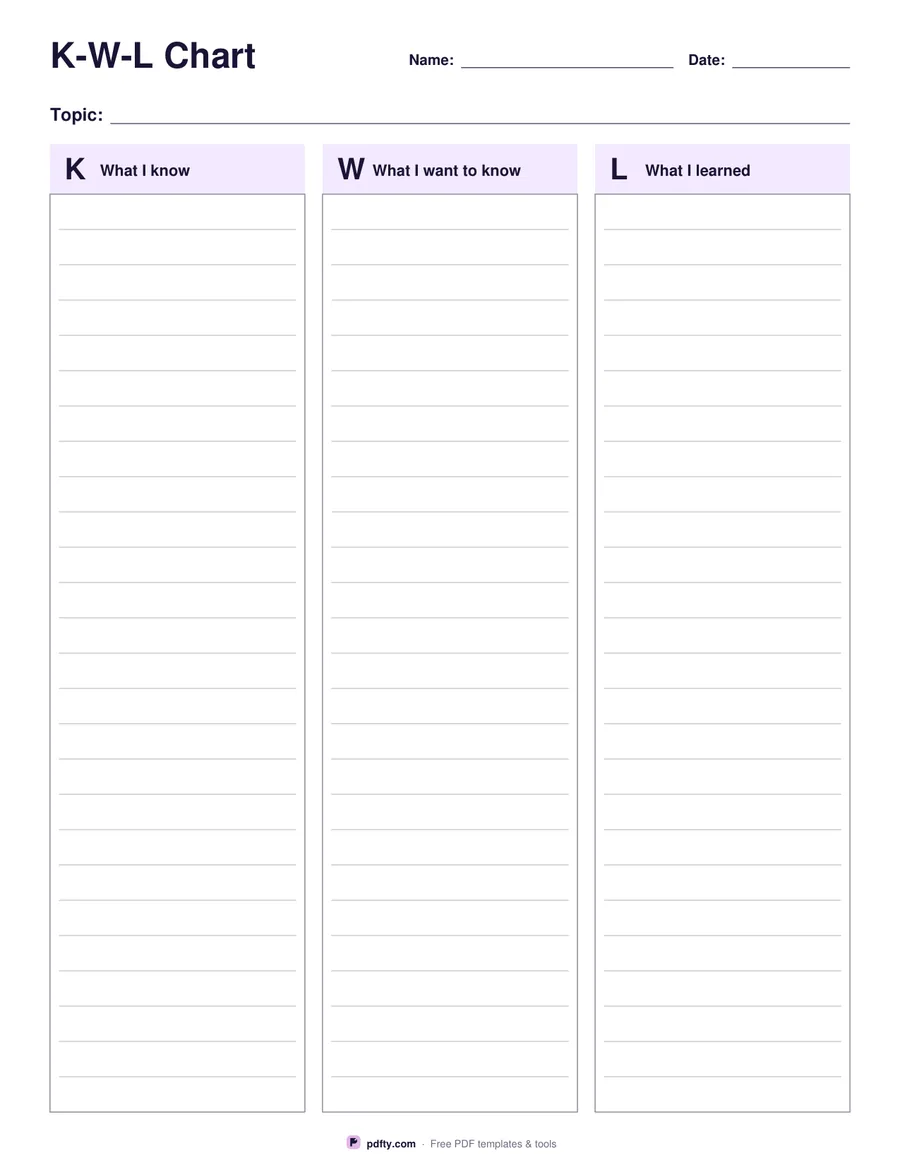
Printable KWL chart with three ruled columns and a topic line
Page layout
Paper size
Fill & edit free online

Free · no watermark · no sign-up for your first 20 downloads a day

Fillable PDF — type into the fields online or in any PDF viewer before printing.

A KWL chart is filled in across a lesson or a unit: the first column before you start, the second as questions come up, the third at the end. This version keeps all three columns on one page with a clear header on each one, a topic line across the top and name and date lines beside the title, so a stack of finished charts is easy to sort.

The columns are ruled rather than empty. Lines sit about a third of an inch apart, which is wide enough for a student to write a full sentence rather than a single word, and the column heads carry the large K, W and L letters so the chart still reads at a glance when it goes up on a wall.

Portrait keeps the familiar handout shape and gives around twenty-two lines per column. Landscape turns the page sideways and makes each column about half as wide again, which suits longer sentences, older students and charts that will be filled in as a class on a projector. All three columns are also multi-line text fields, along with the topic, name and date lines, so the chart can be completed on a laptop or a tablet and printed or emailed afterwards.
How to use it

  1. 1

    Choose the layout

    Portrait for a standard handout, landscape for wider columns, then US Letter or A4.

  2. 2

    Write the topic

    Type the topic on the line across the top, or leave it blank for students to write in.

  3. 3

    Print or fill it in

    Print at 100% ("Actual size") so lines and boxes keep their exact spacing, or fill the form fields on screen in any PDF viewer.

  4. 4

    Fill the columns as you go

    Complete K before the lesson, add questions to W during it, and write what was learned in L at the end.

Frequently asked questions

Yes. There is no watermark and no sign-up for your first 20 downloads each day; after that a free account keeps downloads going. You may print the file as often as you like for personal, school or business use.
Yes. Each of the three columns is a multi-line text field, as are the topic, name and date lines, so the chart can be completed in any PDF viewer.
Around twenty-two in portrait and eighteen in landscape, spaced about a third of an inch apart so a whole sentence fits on a line.
Portrait is the usual classroom handout. Landscape gives noticeably wider columns and suits older students writing in full sentences.
Yes. Many teachers hand it out at the start of a unit, collect it after the first lesson and return it at the end for the L column.
Yes. Type into the fields in a PDF app, or write in the columns with a stylus in an annotation app such as GoodNotes or Xodo.

More free templates

Work with your PDF