Printable Storyboard Template (Free PDF)

Six numbered panels in true 16:9 or 4:3, each with action and dialogue lines you can type into or write on.
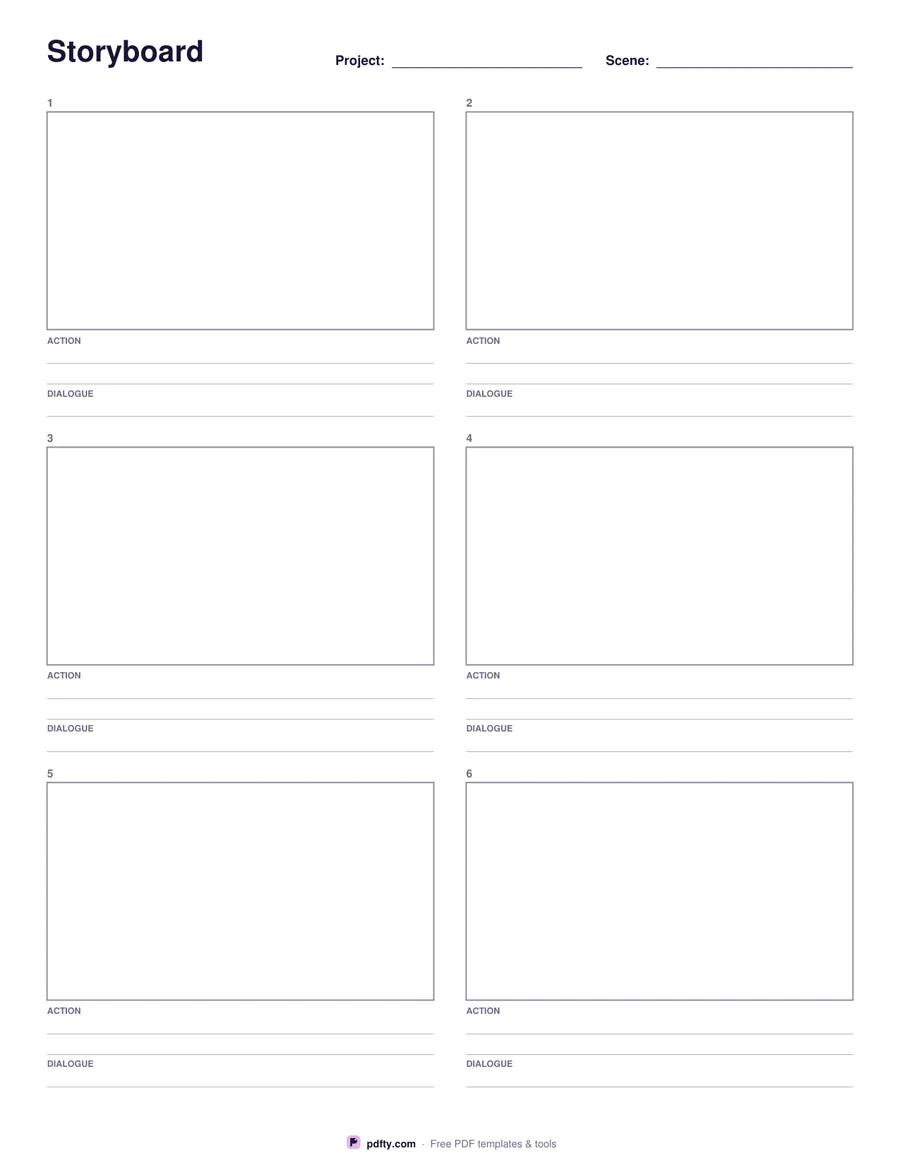
Printable storyboard template with six 16:9 panels and action lines
Panel shape
Paper size
Fill & edit free online

Free · no watermark · no sign-up for your first 20 downloads a day

Fillable PDF — type into the fields online or in any PDF viewer before printing.

Six panels to a page, numbered 1 to 6, laid out two across and three down. The frames are drawn to the real aspect ratio you choose, so what you sketch in the box is what the camera sees: 16:9 for video, YouTube, film and most broadcast work, or 4:3 for older formats, tablets, slide decks and classroom animation projects.

Under every panel there are two ruled lines for the action — the shot, the camera move, what happens — and one for dialogue or voiceover. All three are backed by form fields, so you can type a script into the PDF and print a clean board, or print it empty and write in pencil next to your thumbnails. The project and scene boxes at the top are fillable too, which keeps a multi-page board in order.

Use it for commercials, short films, animatics, explainer videos, social clips, comic layouts and lesson planning. It is one page per six shots: print several, or merge your filled-in pages into a single PDF to send to a client or a crew. The frames are plain outlines with no shading, so they photocopy and scan cleanly, and the numbers under each shot keep the order clear once the pages are spread out on a table.
How to use it

  1. 1

    Choose the panel shape

    16:9 for video and film, 4:3 for older or square-ish formats.

  2. 2

    Add the project and scene

    Type the project name and scene number at the top so a multi-page board stays in order.

  3. 3

    Write the action and dialogue

    Type into the lines under each panel, or leave them blank and write by hand after printing.

  4. 4

    Print or fill it in

    Print at 100% ("Actual size") so lines and boxes keep their exact spacing, or fill the form fields on screen in any PDF viewer.

Frequently asked questions

Yes. There is no watermark and no sign-up for your first 20 downloads each day; after that a free account keeps downloads going. You may print the file as often as you like for personal, school or business use.
Six, numbered 1 to 6, in two columns of three. Print as many pages as your scene needs.
Yes. The panel is drawn to the exact ratio, so a drawing that fills the box fills the frame — no surprises in the edit.
Yes. Each panel has a two-line action field and a dialogue field, plus project and scene fields at the top. Everything prints as normal text.
Yes. Open the PDF in GoodNotes, Procreate, Concepts or any annotation app and sketch straight into the panels.
Merge your pages into one PDF with pdfty's Merge tool, then flatten it so the typed notes cannot be edited.

More free templates

Work with your PDF