Handwriting Sentences (Free Printable PDF)

Type the sentence you want practised and it prints in grey on primary ruled lines, with the remaining lines left blank to copy onto.
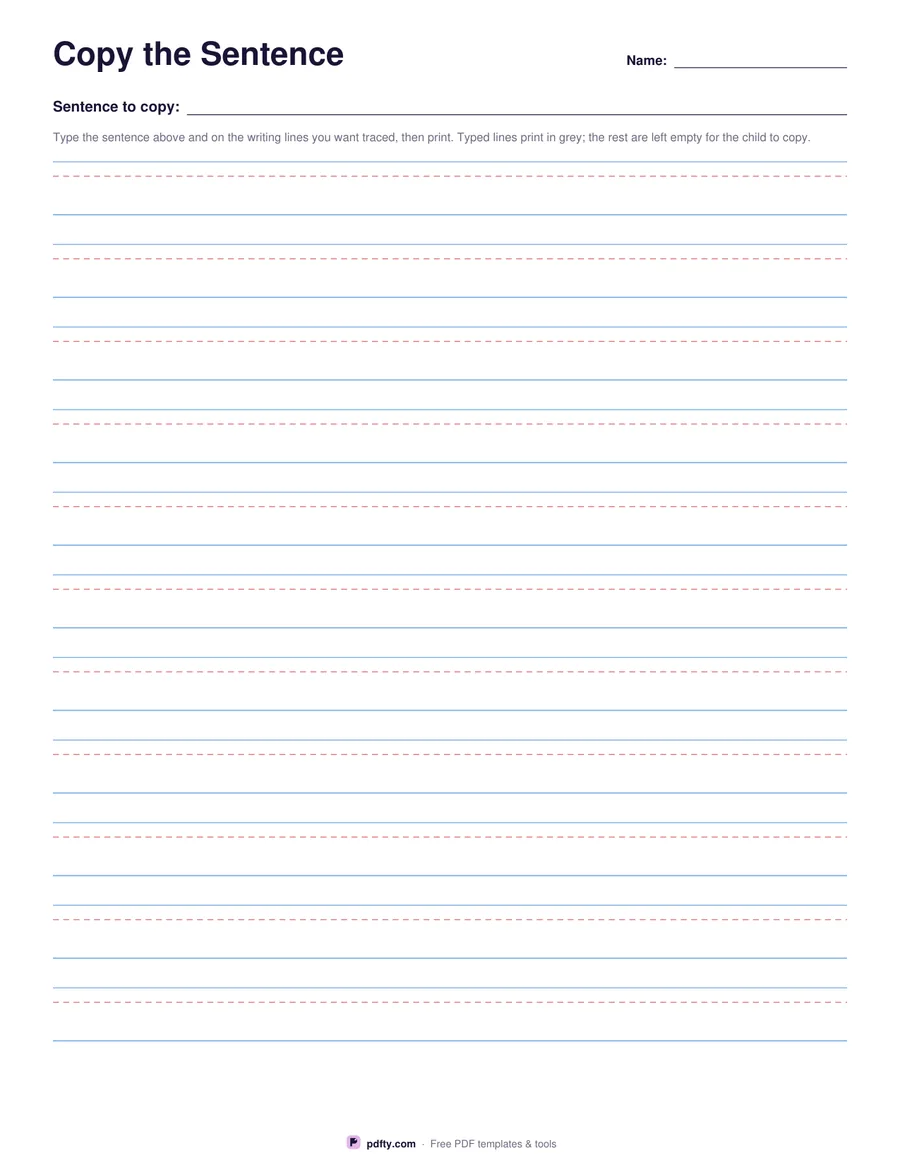
Printable sentence handwriting worksheet on primary ruled lines
Ruling
Paper size
Fill & edit free online

Free · no watermark · no sign-up for your first 20 downloads a day

Fillable PDF — type into the fields online or in any PDF viewer before printing.

Most sentence handwriting sheets come with the sentence already chosen, which is no use when the class is practising a spelling list, a line of poetry or a child's own name and address. This sheet leaves the sentence to you. A field at the top records the sentence to copy, and every writing line on the page is a field too, so you can type the sentence onto as many lines as you want traced before printing.

Text typed on the writing lines prints in grey at the height of the ruling, so a child traces over it. Lines left empty stay blank for copying unaided. The usual pattern is to type the sentence on the first two or three lines and leave the rest, which moves the child from tracing to independent writing down a single page.

The rulings are the proper primary kind: a solid top line, a dashed midline at the x-height and a solid baseline, so letter heights are taught rather than guessed, and a tall letter can be checked against the line above. Choose three-quarter inch rulings for younger writers, which gives about thirteen lines a page, or half inch for older ones, which gives about nineteen. Printing at 100% keeps the rulings at their stated size.
How to use it

  1. 1

    Choose the ruling

    Three-quarter inch for younger writers, half inch once letters are smaller and more controlled.

  2. 2

    Type the sentence

    Put the sentence in the box at the top, then type it again on each writing line you want the child to trace.

  3. 3

    Print or fill it in

    Print at 100% ("Actual size") so lines and boxes keep their exact spacing, or fill the form fields on screen in any PDF viewer.

  4. 4

    Trace, then copy

    The child traces the grey lines first, then writes the same sentence on the empty lines underneath.

Frequently asked questions

Yes. There is no watermark and no sign-up for your first 20 downloads each day; after that a free account keeps downloads going. You may print the file as often as you like for personal, school or business use.
Only on the lines you type it on. Type it on two or three lines for tracing and leave the rest blank for copying.
Yes. Text typed on the writing lines prints in a light grey sized to the ruling, so a pencil line shows clearly over it.
The typed guide prints in a plain upright font. For joined letters, write the model line by hand before photocopying.
About thirteen with three-quarter inch rulings and nineteen with half inch rulings.
Yes. Leave every field empty and it prints as ordinary primary ruled paper with a sentence line at the top.

More free templates

Work with your PDF