Printable Water Intake Tracker (Free PDF)

A month on one page: thirty-one numbered days, eight glasses to tick for each of them, and a field for the daily goal you set yourself.
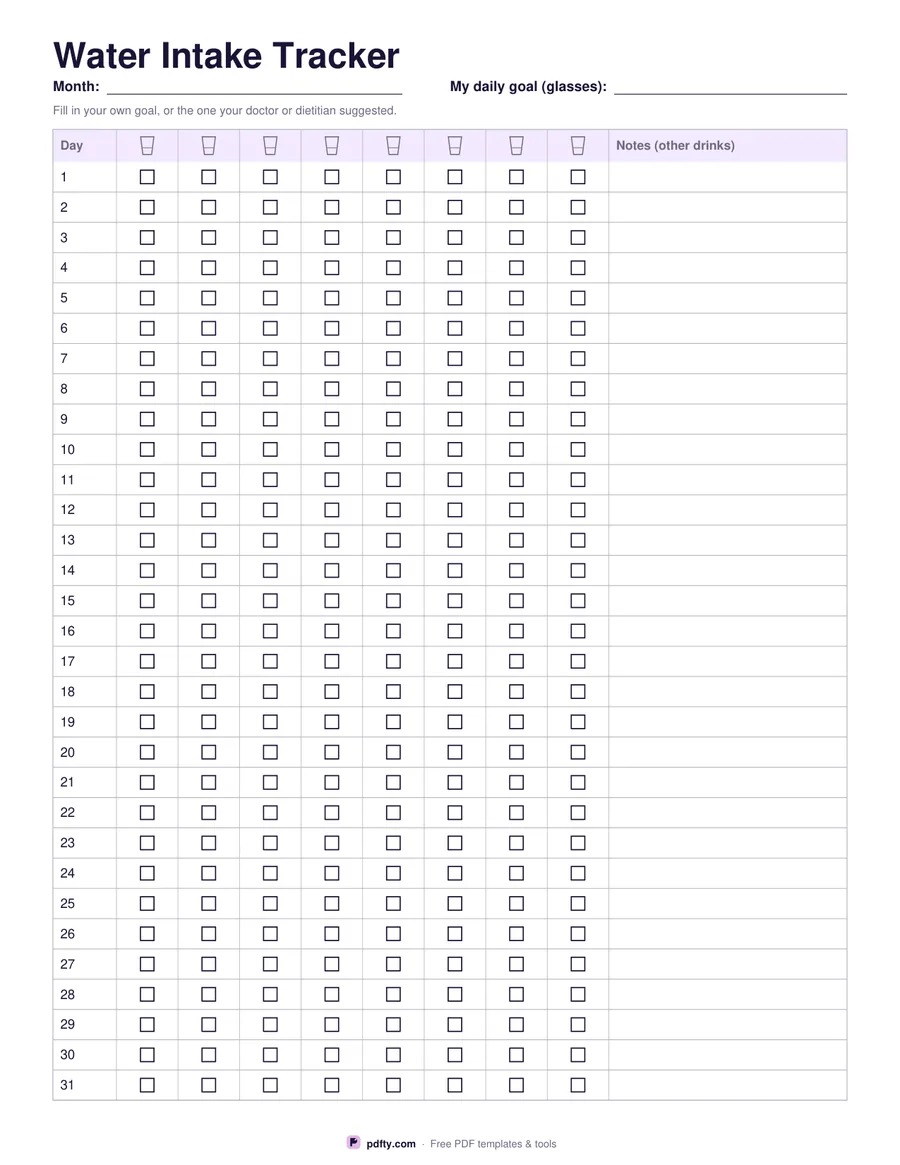
Printable water intake tracker with 31 days and eight glasses to tick each day
Paper size
Fill & edit free online

Free · no watermark · no sign-up for your first 20 downloads a day

Fillable PDF — type into the fields online or in any PDF viewer before printing.

Days one to thirty-one run down the left edge, already numbered, and eight small glass icons head the columns across the page. Tick one box each time you finish a glass and a month of drinking fits on a single sheet. The right-hand column is for notes: the coffee that does not count the same way, the hot day that needed more, the medicine you take with a full glass.

There is no target printed anywhere on this sheet. How much water a person needs depends on their size, the weather, what they are doing and their own health, so the header has a blank field where you write the goal you have chosen, or the one your doctor or dietitian suggested. The eight columns are a convenient grid, not a recommendation.

The month field, all 248 glass boxes and the 31 notes cells are fillable, so you can tick the day's glasses on a phone and keep the file, or print the sheet and stick it on the fridge where you will actually see it. The grid is plain black and gray, which prints cleanly on a home printer and photocopies without the lines filling in, and one sheet covers a whole month. US Letter or A4.
How to use it

  1. 1

    Download and name the month

    Type the month at the top, or leave the field blank and write it in after printing.

  2. 2

    Write your own goal

    Fill in the daily goal field with the number of glasses you are aiming for.

  3. 3

    Print or fill it in

    Print at 100% ("Actual size") so lines and boxes keep their exact spacing, or fill the form fields on screen in any PDF viewer.

  4. 4

    Tick as you drink

    Mark one glass each time you finish one, and use the notes column for anything unusual about the day.

Frequently asked questions

Yes. There is no watermark and no sign-up for your first 20 downloads each day; after that a free account keeps downloads going. You may print the file as often as you like for personal, school or business use.
Eight columns simply fit the page comfortably. It is not a recommendation: write your own goal in the field at the top and ignore any columns you do not need.
Yes. Every glass is a real PDF checkbox, so you can tick it in Adobe Reader, Preview, Chrome or Edge and save the file.
Leave rows 29 to 31 empty. The same sheet then works for every month of the year.
Yes. Open the PDF in GoodNotes, Notability or Xodo and write on it with a stylus, or fill the form fields and keep the file on your device instead of printing it.
No. It is a blank sheet for recording what you measure or do, and it prints no targets, no normal ranges and no doses. Anything you write on it is for you and your doctor, nurse or pharmacist to interpret together.

More free templates

Work with your PDF