Printable Workout Log (Free PDF)

One page for your session: 18 fillable rows for sets, reps and weight, with a warm-up strip at the top and a cool-down strip at the foot.
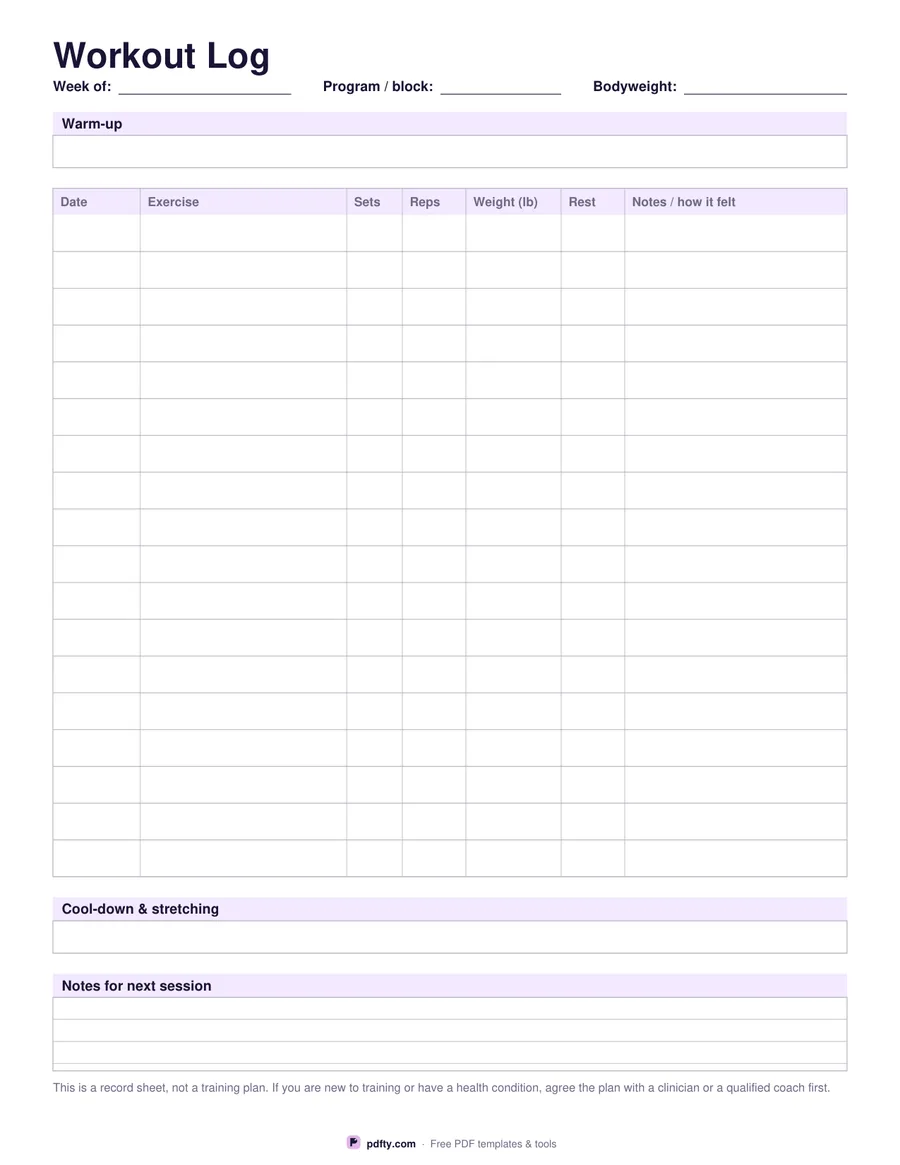
Printable workout log with 18 rows for exercise, sets, reps, weight and rest
Weight unit
Paper size
Fill & edit free online

Free · no watermark · no sign-up for your first 20 downloads a day

Fillable PDF — type into the fields online or in any PDF viewer before printing.

The middle of this sheet is a table of eighteen rows and seven columns: date, exercise, sets, reps, weight, rest and a wide notes column for how the set actually felt. That is enough lines for a full session of compound lifts and accessories, or for a few short sessions logged across a week. Above the table there is a warm-up strip, and under it a cool-down and stretching strip, so the parts of training that are easiest to skip have a written place of their own.

The header carries three fields: week of, program or block, and your bodyweight on the day. At the foot of the page a ruled notes panel is where next session's plan goes while it is still fresh: the weight that moved too easily, the grip that slipped, the exercise to swap out. Choose pounds or kilograms before you download and the weight column header changes to match.

Every cell is a form field, so you can type the session in on a phone or laptop and print a finished page, or print it blank and fill it in with a pencil at the rack. It is one page in US Letter or A4, drawn as vector lines so it stays crisp on any printer, and the rows are spaced for handwriting rather than for squeezing in a few more. Print one copy per session, or print a stack at the start of a block and keep them in a folder in your gym bag so the log never depends on remembering to open an app.
How to use it

  1. 1

    Pick pounds or kilograms

    The weight column header prints lb or kg so there is no ambiguity later.

  2. 2

    Fill the header

    Type the week, the program or block you are running and your bodyweight, or leave them for a pen.

  3. 3

    Print or fill it in

    Print at 100% ("Actual size") so lines and boxes keep their exact spacing, or fill the form fields on screen in any PDF viewer.

  4. 4

    Log as you lift

    Write each set as you finish it, then use the notes panel to plan the next session.

Frequently asked questions

Yes. There is no watermark and no sign-up for your first 20 downloads each day; after that a free account keeps downloads going. You may print the file as often as you like for personal, school or business use.
Eighteen rows. Most people use one row per exercise and write the sets as 3 x 8, which leaves plenty of room; if you prefer a row per set, log two sessions on two sheets.
Yes. The three header fields, all 126 table cells, the warm-up and cool-down strips and the notes panel are form fields you can fill in any PDF viewer.
Yes. Choose two-sided printing in the print dialog and each sheet gives you two sessions. The layout is identical on both sides.
Yes. Open the PDF in GoodNotes, Notability or Xodo and write on it with a stylus, or fill the form fields and keep the file on your device instead of printing it.
No. It is a record sheet with no exercises or numbers printed on it. If you are new to training or have a health condition, agree the plan itself with a clinician or a qualified coach.

More free templates

Work with your PDF