Printable Quarterly Planner (Free PDF)

One quarter on one page: three month columns for goals, key dates and tasks, with a review strip along the bottom.
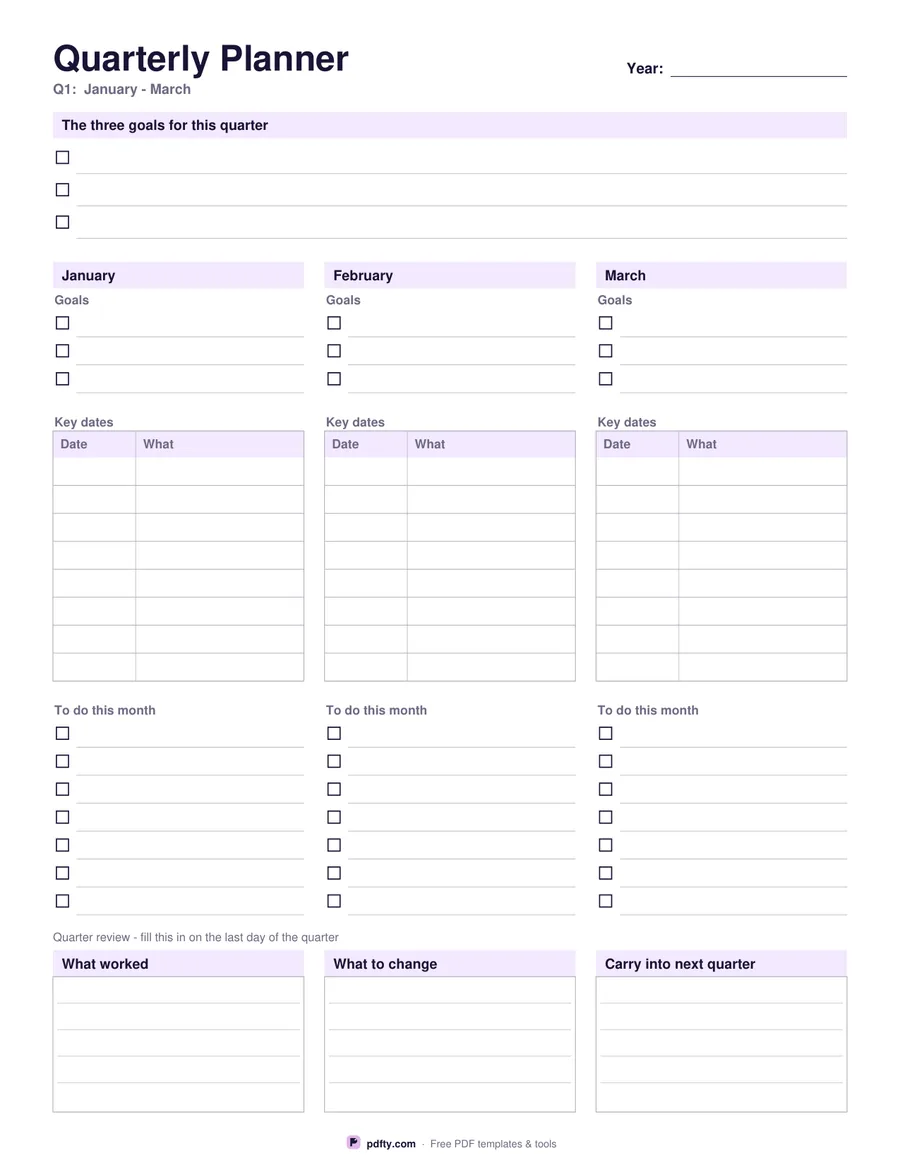
Printable quarterly planner with three month columns, key dates tables and a review strip
Quarter
Paper size
Fill & edit free online

Free · no watermark · no sign-up for your first 20 downloads a day

Fillable PDF — type into the fields online or in any PDF viewer before printing.

The sheet opens with three checkbox lines for the goals that define the quarter, then splits into a column for each of its three months. Every column carries the month name printed at the top, three goal lines, an eight-row key dates table with a date column and a what column, and a to-do checklist of seven lines on US Letter or nine on A4. That is 24 dated slots and about 24 tasks for the quarter without a second sheet.

Along the foot runs the part that makes a quarter worth planning: a review strip of three ruled boxes headed what worked, what to change, and carry into next quarter. Fill it on the last day of the quarter and the sheet becomes the handover to the next one. Choose Q1, Q2, Q3 or Q4 before you download and the right month names are printed for you; the year is a field you fill in yourself, so the file does not go stale.

Everything except the printed month names is fillable: the quarter goals, every month goal, both columns of each key dates table, the to-do lines and the three review boxes. Type it up on a laptop and print it finished for a wall or a binder, or print it empty and work in pen. It is one portrait page of vector lines, drawn separately for US Letter and A4 so nothing needs scaling at the printer.
How to use it

  1. 1

    Pick the quarter

    Q1 to Q4. The three month names for that quarter are printed on the columns.

  2. 2

    Choose the paper size

    US Letter or A4. The A4 sheet fits two extra to-do lines per month.

  3. 3

    Plan the quarter

    Type the year, the three quarter goals, each month's goals, key dates and tasks, or print the sheet blank and write them in.

  4. 4

    Print or fill it in

    Print at 100% ("Actual size") so lines and boxes keep their exact spacing, or fill the form fields on screen in any PDF viewer.

Frequently asked questions

Yes. There is no watermark and no sign-up for your first 20 downloads each day; after that a free account keeps downloads going. You may print the file as often as you like for personal, school or business use.
The printed month names follow calendar quarters. If your financial year is offset, pick the quarter whose months match and ignore the Q number, or use the undated Monthly Planner for a month at a time.
Eight rows per month, 24 for the quarter, each with a date cell and a description cell.
Yes. The year, every goal line, both key date columns, the to-do lines and the three review boxes are form fields.
The three boxes at the bottom are filled at the end of the quarter: what worked, what to change, and what carries into the next quarter.
Download each quarter in turn and join the four files into one booklet with pdfty's Merge PDF tool.

More free templates

Work with your PDF