Printable Ledger Paper (Free PDF)

The classic double-entry account sheet: date, description, reference, debit, credit and running balance.
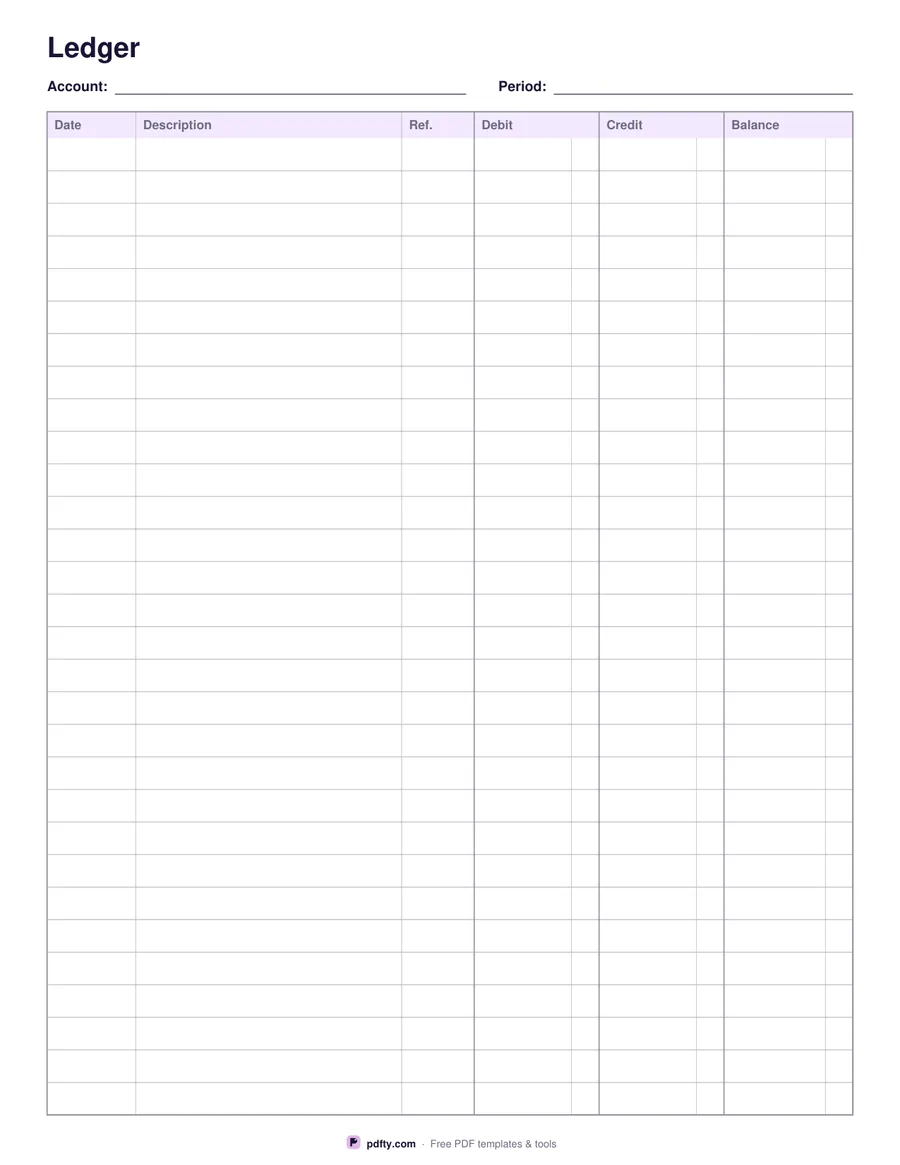
Printable double-entry ledger paper with debit, credit and balance columns
Entry rows
Paper size
Fill & edit free online

Free · no watermark · no sign-up for your first 20 downloads a day

Fillable PDF — type into the fields online or in any PDF viewer before printing.

This is a general ledger account sheet in the traditional layout: a narrow Date column, a wide Description column for the entry and the contra account, a short Reference column for the journal or invoice number, then Debit, Credit and a running Balance. One sheet is one account — cash, bank, sales, a customer, a supplier — with its name and the period written at the top.

Choose 20, 30 or 40 rows depending on how busy the account is. Twenty rows give a generous row height for handwriting; forty fit a month of daily entries on a single page. Each of the three money columns carries a faint rule a quarter of an inch from the right edge, the cents divider of a real accounting pad, so figures line up at the decimal point even when you are writing them in by hand.

Every cell is also a form field, so you can type the account straight into the PDF in any viewer and let the sheet do the job of a printed book. The Account and Period lines at the top are fields too. Nothing is calculated for you — a ledger is a record, not a spreadsheet — so the balance column is yours to carry down. Print it blank for a paper book, or fill it on screen and flatten the result before you file or send it.

How to use it

  1. 1

    Choose the number of rows

    20 rows for roomy handwriting, 30 for everyday use, 40 for a busy account.

  2. 2

    Name the account

    Type the account and the period in the two header fields, or write them in after printing.

  3. 3

    Enter the transactions

    Date, description, reference, then the debit or the credit, and carry the balance down the last column.

  4. 4

    Print or fill it in

    Print at 100% ("Actual size") so lines and boxes keep their exact spacing, or fill the form fields on screen in any PDF viewer.

Frequently asked questions

Yes. There is no watermark and no sign-up for your first 20 downloads each day; after that a free account keeps downloads going. You may print the file as often as you like for personal, school or business use.
Yes. Every cell in every row is a text field, along with the Account and Period lines at the top, so the whole sheet can be filled in a PDF viewer and printed afterwards.
No. There are no calculations in the PDF — the debit, credit and balance figures are whatever you enter. Use the cents rule at the right of each money column to keep the decimals aligned.
20, 30 or 40, whichever you choose. A4 keeps the same number of rows and makes each one slightly taller.
The posting reference: the journal page, invoice number or cheque number the entry came from, so you can trace a figure back to its document.
Yes — run the finished file through pdfty's Flatten PDF tool and the typed values become part of the page instead of editable fields.

More free templates

Work with your PDF