Printable Recipe Cards (Free PDF)

Cut-out cards for the recipe box, in the two sizes card boxes and photo sleeves already take.
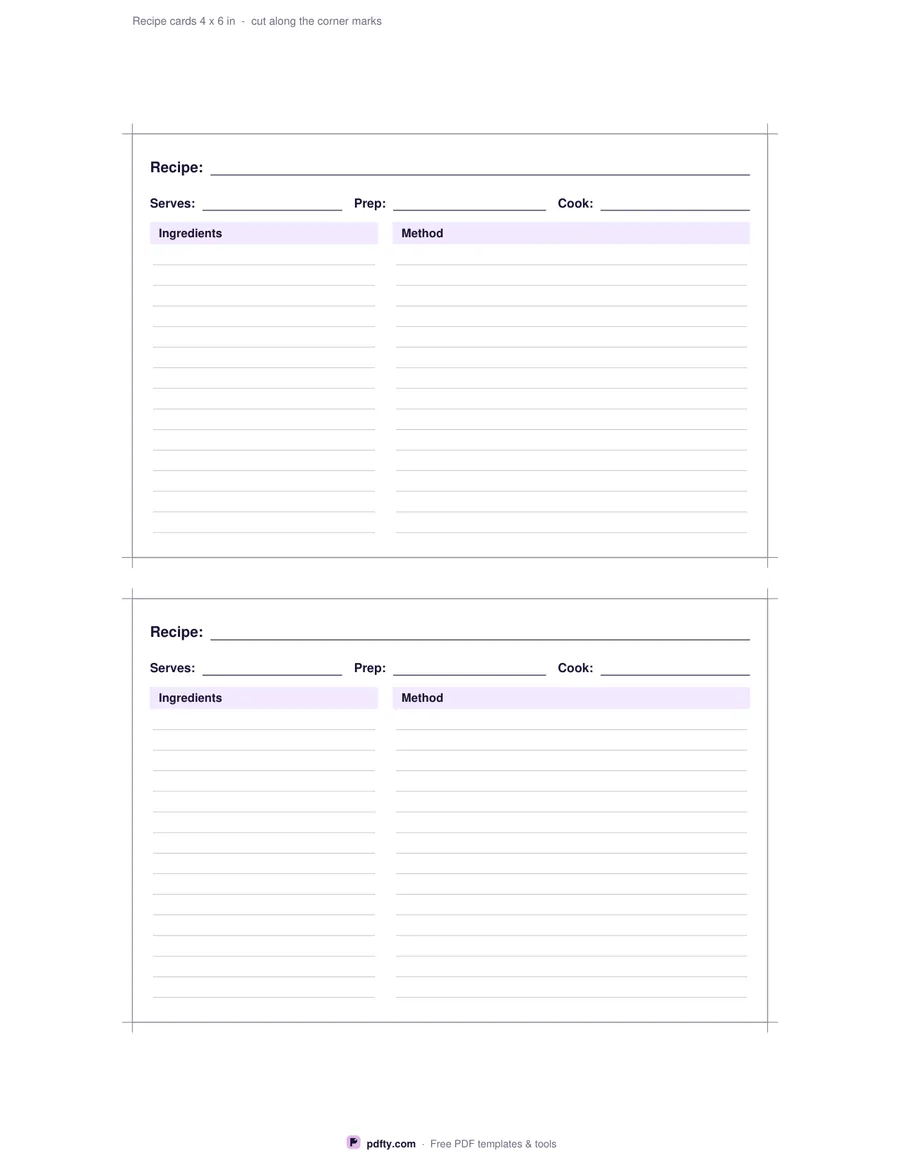
Printable recipe cards with servings, times, ingredients, method and cut marks
Cards per page
Paper size
Fill & edit free online

Free · no watermark · no sign-up for your first 20 downloads a day

Fillable PDF — type into the fields online or in any PDF viewer before printing.

A recipe card earns its place by keeping the cookbook on the shelf: one card, one dish, propped against the kettle while you cook. This sheet prints cards at the two sizes a recipe box or a photo sleeve already takes. Choose two 4 x 6 inch cards to a page or four 3 x 5 inch cards, then trim along the marks at the corners. Every card has its own name line, servings and timings, and separate ruled blocks for the ingredients and the method.

On the 4 x 6 card the ingredients sit in a narrow column on the left and the method fills the wider column on the right, so the shopping half and the cooking half stay apart. Serves, prep and cook each get a line of their own under the title. The smaller 3 x 5 card stacks the two blocks instead, with servings and total time on one line. Both are ruled faintly, which keeps handwriting level without the lines shouting on the finished card.

Every line is a form field. Type the recipe in your PDF viewer before you print and the card comes out in clean type, which matters for the ones you hand to someone else, or print the page blank and write it out at the table. Plain paper is fine for a binder; card stock holds up better in a box next to the stove. Cut on the corner marks and the card's own border becomes its trimmed edge. One page, US Letter or A4.
How to use it

  1. 1

    Pick the card size

    Two 4 x 6 inch cards to a page, or four 3 x 5 inch cards. Then choose US Letter or A4.

  2. 2

    Type the recipe, or leave it blank

    Click into the name, servings, timing, ingredient and method fields and type, or print the page empty and write by hand.

  3. 3

    Print or fill it in

    Print at 100% ("Actual size") so lines and boxes keep their exact spacing, or fill the form fields on screen in any PDF viewer.

  4. 4

    Cut along the marks

    Trim on the short marks at each corner. The printed border of the card becomes its edge.

Frequently asked questions

Yes. There is no watermark and no sign-up for your first 20 downloads each day; after that a free account keeps downloads going. You may print the file as often as you like for personal, school or business use.
Yes. The recipe name, servings, times, ingredients and method on every card are form fields, so you can fill them in Adobe Reader, Preview, Chrome or Edge and print the page already written out.
The two-card page gives 4 x 6 inch cards, the size most recipe boxes and index cards use. The four-card page gives 3 x 5 inch cards. The cards keep those exact sizes on both US Letter and A4; only the margin around them changes.
Yes. Use the tray or the manual feed your printer recommends for heavy paper and print at 100% so the cards keep their measured size.
The 4 x 6 card has room for about 14 ingredient lines beside 14 method lines. The 3 x 5 card holds roughly 7 ingredient lines and 10 method lines, which suits a short family recipe.
Yes. Open the PDF in an app such as Xodo, GoodNotes or Notability and type into the fields, or handwrite with a stylus on the ruled lines.

More free templates

Work with your PDF