Printable Address Book Page (Free PDF)

Four or six contact entries a page, with an A to Z strip down the edge so a binder of them stays sorted.
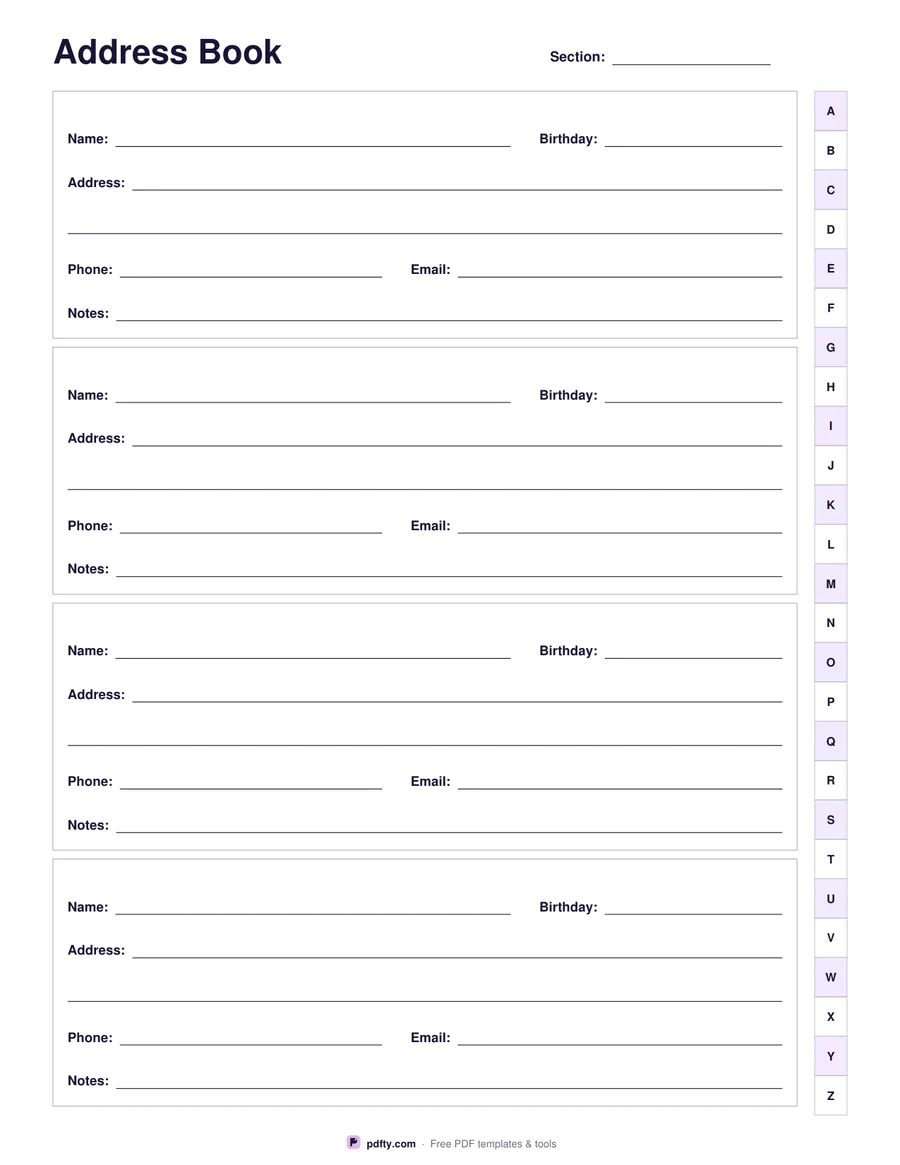
Printable address book page with name, address, phone, email and birthday lines and an A to Z tab strip
Entries per page
Paper size
Fill & edit free online

Free · no watermark · no sign-up for your first 20 downloads a day

Fillable PDF — type into the fields online or in any PDF viewer before printing.

Phones lose contacts; paper does not. This page holds four boxed entries, each with a name, a birthday, two lines of address, a phone number, an email address and a line of notes — where you met, which child belongs to whom, which door to knock on. Choose six entries a page instead and each box drops to a single address line, which suits a list you mostly use for Christmas cards.

An A to Z strip runs down the right-hand edge, shaded on alternate letters. Print a page or two for each letter, write the letter on the section line at the top, and the strip works as a thumb index once the pages are in a ring binder: colour in or cut a notch beside the letter a page belongs to and you can find a name without leafing through. Punch the left margin and nothing printed is lost.

Every line is a form field, so a list exported from a phone can be typed in and printed neatly, or the page can be printed blank for handwriting. A printed address book is worth keeping for the people whose numbers you would struggle to replace — family, neighbours, the plumber who actually turns up. One page per sheet, US Letter or A4.
How to use it

  1. 1

    Choose four or six entries

    Four entries give two address lines and more room to write; six fit more contacts with one address line each.

  2. 2

    Mark the letter

    Write or type the letter of the alphabet this page covers on the section line at the top, and mark it on the A to Z strip.

  3. 3

    Print or fill it in

    Print at 100% ("Actual size") so lines and boxes keep their exact spacing, or fill the form fields on screen in any PDF viewer.

  4. 4

    Punch and file

    Punch the left margin and file the pages in a ring binder in alphabetical order.

Frequently asked questions

Yes. There is no watermark and no sign-up for your first 20 downloads each day; after that a free account keeps downloads going. You may print the file as often as you like for personal, school or business use.
Four, with two address lines each, or six with one address line each. A binder of 26 pages, one per letter, holds 104 or 156 contacts.
Yes. Name, birthday, address, phone, email and notes are all form fields in every entry, plus the section line at the top.
An A to Z tab strip. It marks which letter a page belongs to — colour in the letter, or cut a notch beside it, and the binder gains a thumb index.
Yes. The left margin is about half an inch of clear paper, so a three-hole or four-hole punch misses every writing line, and the alphabet strip stays on the outer edge where you can see it.
Yes, but the alphabet strip will land on the inner edge of the back of each sheet. For a thumb index that works, print single sided.

More free templates

Work with your PDF