Printable Pantry Inventory (Free PDF)

What you actually have, with the use-by date beside it, split into dry goods, tins, freezer and fridge.
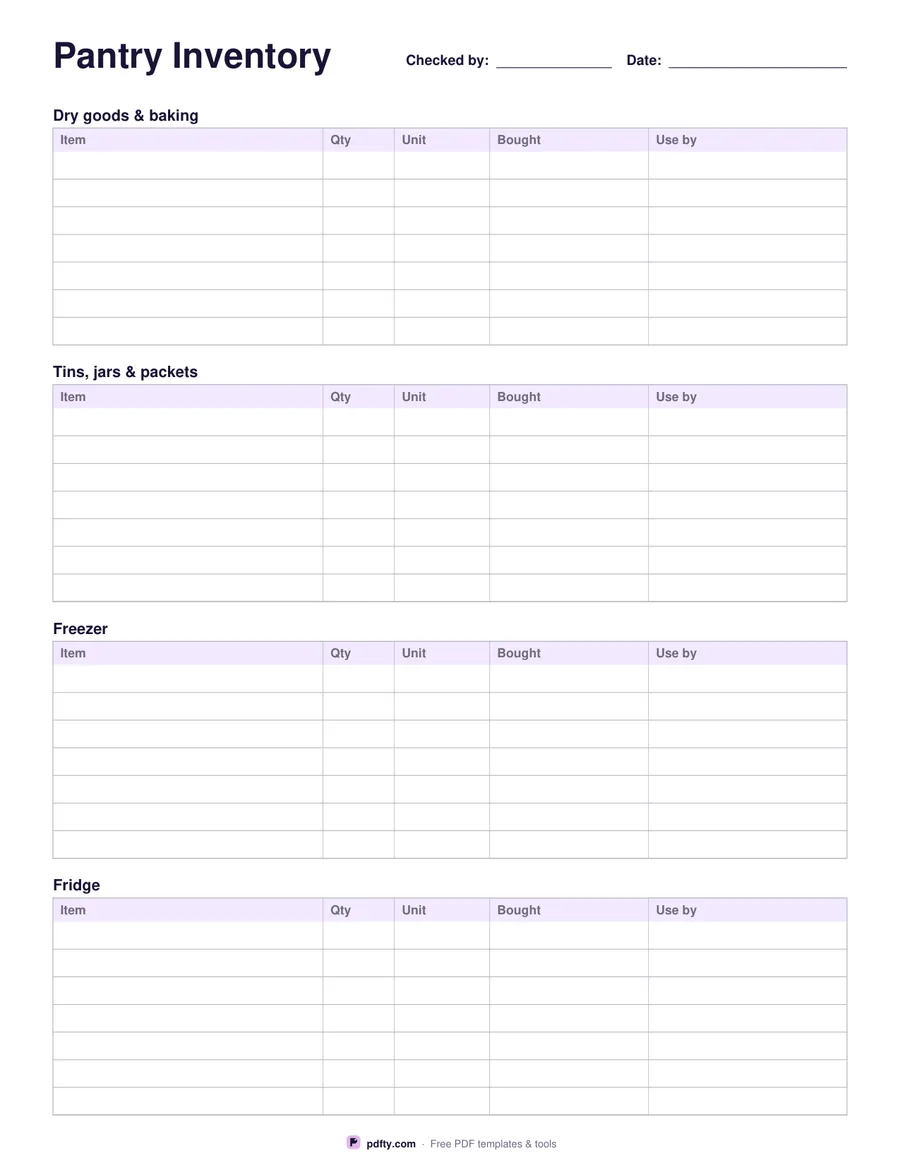
Printable pantry inventory with item, quantity, unit, bought and use-by columns
Layout
Paper size
Fill & edit free online

Free · no watermark · no sign-up for your first 20 downloads a day

Fillable PDF — type into the fields online or in any PDF viewer before printing.

A pantry inventory saves the third jar of cumin and the bag of flour that went past its date behind the cereal. This sheet gives you five columns for every item: what it is, how much, the unit it is measured in, when you bought it and the use-by date. Sorting by that last column is the point — a quick read down it tells you what to cook this week rather than what to throw out next month.

The sectioned layout splits the page into dry goods and baking, tins, jars and packets, the freezer and the fridge, with seven rows each, which matches how most kitchens are actually arranged. The list layout drops the sections and gives you one 30-row table with an extra column for where the item lives, which suits a single large pantry, a chest freezer or a stock cupboard that is counted in one pass.

Every cell is a form field, so the inventory can live on a computer and be reprinted whenever it drifts out of date, or be printed blank and filled in with a pencil as you work along a shelf. Taping the fridge and freezer copies to the appliance door is the version most households actually keep up with, because the sheet is in front of you at the moment something comes out. Count twice a year and the shopping list writes itself. One page, US Letter or A4.
How to use it

  1. 1

    Choose the layout

    Four sections for dry goods, tins, freezer and fridge, or one long list with a column for where each item is kept.

  2. 2

    Count one shelf at a time

    Work through a shelf, write the item, the quantity, the unit, the date you bought it and the use-by date.

  3. 3

    Print or fill it in

    Print at 100% ("Actual size") so lines and boxes keep their exact spacing, or fill the form fields on screen in any PDF viewer.

  4. 4

    Keep it where the food is

    Tape the sheet inside a cupboard door or on the freezer, and strike items out as they are used.

Frequently asked questions

Yes. There is no watermark and no sign-up for your first 20 downloads each day; after that a free account keeps downloads going. You may print the file as often as you like for personal, school or business use.
The sectioned layout has 7 rows in each of its four sections, 28 in all. The list layout has 30 rows and an extra column for the location.
Yes. Every cell is a form field, so you can keep the inventory in the PDF, update it and print a fresh copy whenever it gets out of date.
Yes — use the list layout and put the drawer or basket in the location column, or print the sectioned sheet and use only the freezer block.
Both columns are there because packets differ. Tins and dry goods usually carry a best-before date, while home-frozen food only has the date you froze it, so the bought column does the work.
Yes. Two copies back to back give you 56 or 60 rows on one sheet of paper; print at 100% and use your printer's double-sided setting.

More free templates

Work with your PDF