Printable Weight Tracker (Free PDF)

Twelve weeks on one page: a chart you write your own scale onto, and a table underneath for the date, the number, your waist and what was going on that week.
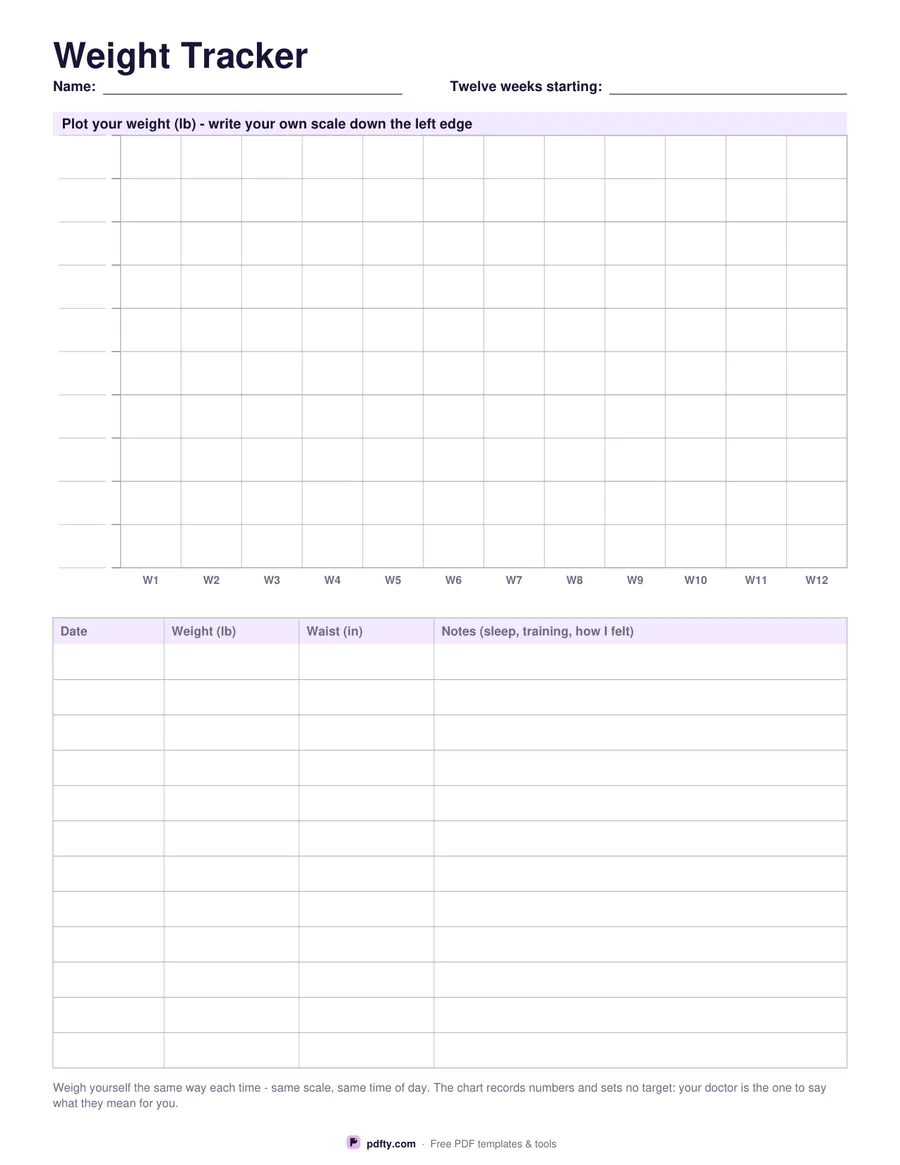
Printable weight tracker with a blank twelve-week chart and a table of date, weight and waist
Weight unit
Paper size
Fill & edit free online

Free · no watermark · no sign-up for your first 20 downloads a day

Fillable PDF — type into the fields online or in any PDF viewer before printing.

The top half is a plotting grid: twelve week columns across and ten bands down, with a blank field on every horizontal line. You write your own scale down the left edge, because a chart with numbers already printed on it would only fit one person. Plot a dot each week, join the dots, and a trend becomes visible in a way that a column of figures never quite is.

The table underneath has one row per week with four columns: date, weight, waist and a wide notes column. The notes are what make the chart readable six weeks later, when a dip or a spike needs explaining: a week of illness, a holiday, a new training block, a change of scales, a course of medicine. Waist has a column of its own because a tape measure often moves in weeks when the scale sits still, and the two together tell a steadier story than either alone.

Choose pounds or kilograms before downloading and both the chart heading and the table column change with it, with the waist column switching between inches and centimetres. The eleven scale fields, the twelve table rows and the two header fields are all form fields, so the sheet can be filled on a laptop and reprinted whenever it is needed. It is one page in US Letter or A4, printed in gray and black so a plotted line in pen or pencil stays easy to read.
How to use it

  1. 1

    Choose your unit

    Pounds and inches, or kilograms and centimetres, so the headings match what your scale says.

  2. 2

    Write your own scale

    Fill the eleven fields down the left edge of the chart with a range that suits you.

  3. 3

    Print or fill it in

    Print at 100% ("Actual size") so lines and boxes keep their exact spacing, or fill the form fields on screen in any PDF viewer.

  4. 4

    Plot once a week

    Weigh yourself the same way each time, mark the dot, fill the table row and join it to the last dot.

Frequently asked questions

Yes. There is no watermark and no sign-up for your first 20 downloads each day; after that a free account keeps downloads going. You may print the file as often as you like for personal, school or business use.
So you can set a scale that fits you. A printed axis would be wrong for most people, and the sheet deliberately prints no target weight or range.
Twelve, both on the chart and in the table. Print a second copy to carry on from where the first one ends.
The scale labels, the dates and the table are form fields, but the dots themselves are drawn by hand, or with the pen tool in an annotation app.
Yes. Open the PDF in GoodNotes, Notability or Xodo and write on it with a stylus, or fill the form fields and keep the file on your device instead of printing it.
No. It is a blank sheet for recording what you measure or do, and it prints no targets, no normal ranges and no doses. Anything you write on it is for you and your doctor, nurse or pharmacist to interpret together.

More free templates

Work with your PDF