Printable Freezer Inventory (Free PDF)

A use-these-first panel at the top, then 26 or 34 rows for item, date frozen, use by, quantity and which shelf it is on.
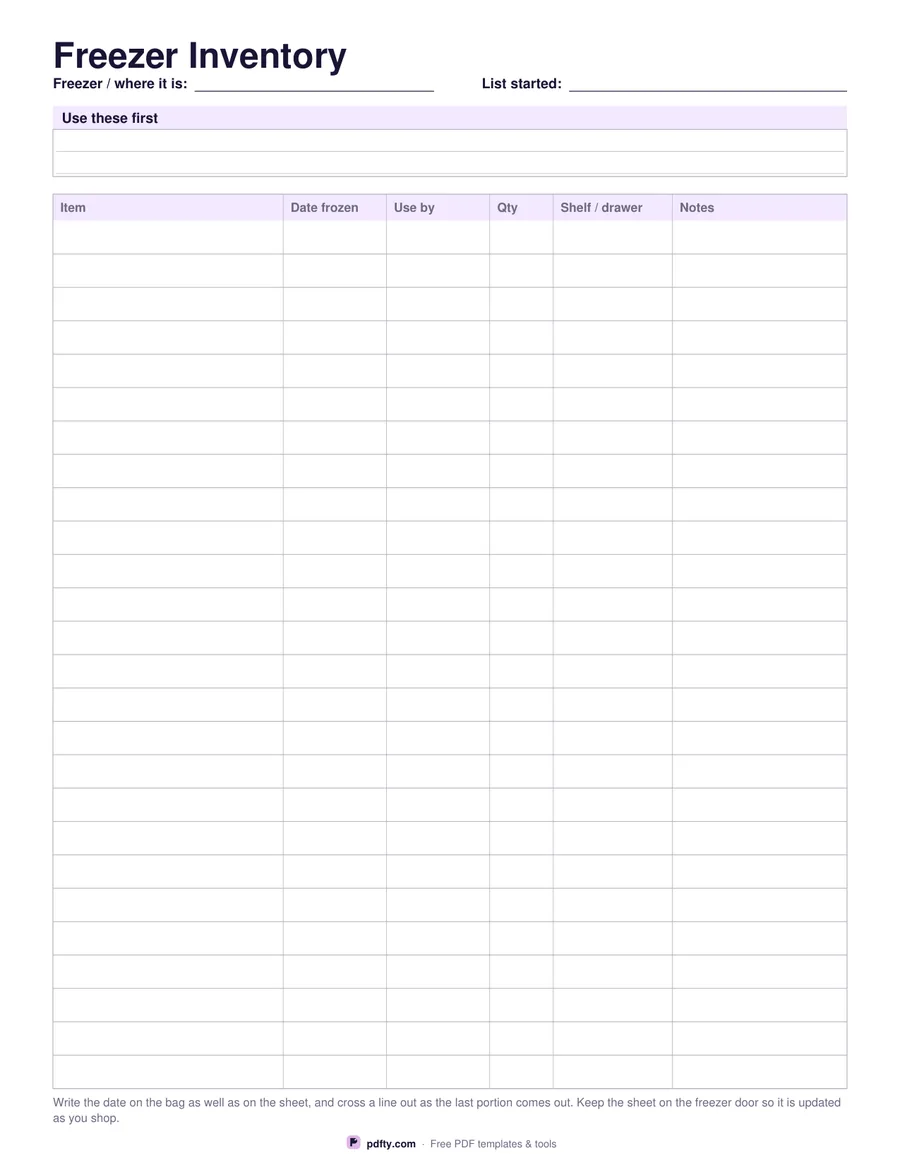
Printable freezer inventory with columns for item, date frozen, use by and shelf
Rows
Paper size
Fill & edit free online

Free · no watermark · no sign-up for your first 20 downloads a day

Fillable PDF — type into the fields online or in any PDF viewer before printing.

The table has six columns: item, date frozen, use by, quantity, shelf or drawer, and notes. The shelf column is the one that saves the digging — a list is only useful if it tells you where in the freezer the thing actually is. Choose twenty-six roomy rows or thirty-four tighter ones depending on how much you freeze and how large your handwriting is.

Above the table sits a ruled panel headed Use these first, for the bags that have been in there longest or the leftovers that should go this week. Keeping that short list separate from the main inventory is what stops the oldest items sinking to the bottom and reappearing unidentifiable a year later, and it gives whoever is cooking tonight a straight answer to what needs eating without opening the lid at all.

Tape it to the freezer door or the side of the fridge and update it as the shopping goes in, crossing a line out as the last portion comes out. Every cell is a form field if you would rather keep the list on a laptop and print a fresh copy when it gets messy. One page in US Letter or A4, printed as vector lines so it stays sharp. Write the date on the bag as well as on the sheet: the two together are what make the use-by column trustworthy.
How to use it

  1. 1

    Pick the row count

    Twenty-six rows for roomy handwriting, thirty-four for a full chest freezer.

  2. 2

    Print or fill it in

    Print at 100% ("Actual size") so lines and boxes keep their exact spacing, or fill the form fields on screen in any PDF viewer.

  3. 3

    Fill it as you freeze

    Add a line when something goes in, with the date and the shelf it is on.

  4. 4

    Keep the top panel short

    List only what should be eaten next, and cross lines out as they are used.

Frequently asked questions

Yes. There is no watermark and no sign-up for your first 20 downloads each day; after that a free account keeps downloads going. You may print the file as often as you like for personal, school or business use.
Twenty-six or thirty-four rows, whichever you choose before downloading, plus a few lines in the use-first panel.
No. Storage times depend on the food, the packaging and your freezer, so the use-by column is yours to fill from the packet or your own judgement.
Yes. Both header fields, the use-first panel and every table cell are fillable form fields.
Yes. Choose two-sided printing in the print dialog and one sheet gives you two pages of the same layout, which is handy when one page is not enough.
Print it on ordinary paper and keep it on the door rather than inside, or slide it into a plastic wallet if your freezer is in a damp garage.

More free templates

Work with your PDF