Quilt Block Planner (Free Printable PDF)

A large empty block grid to colour in, six squares to swatch your fabrics against, and a cutting list that turns the coloured block into a shopping and cutting plan.
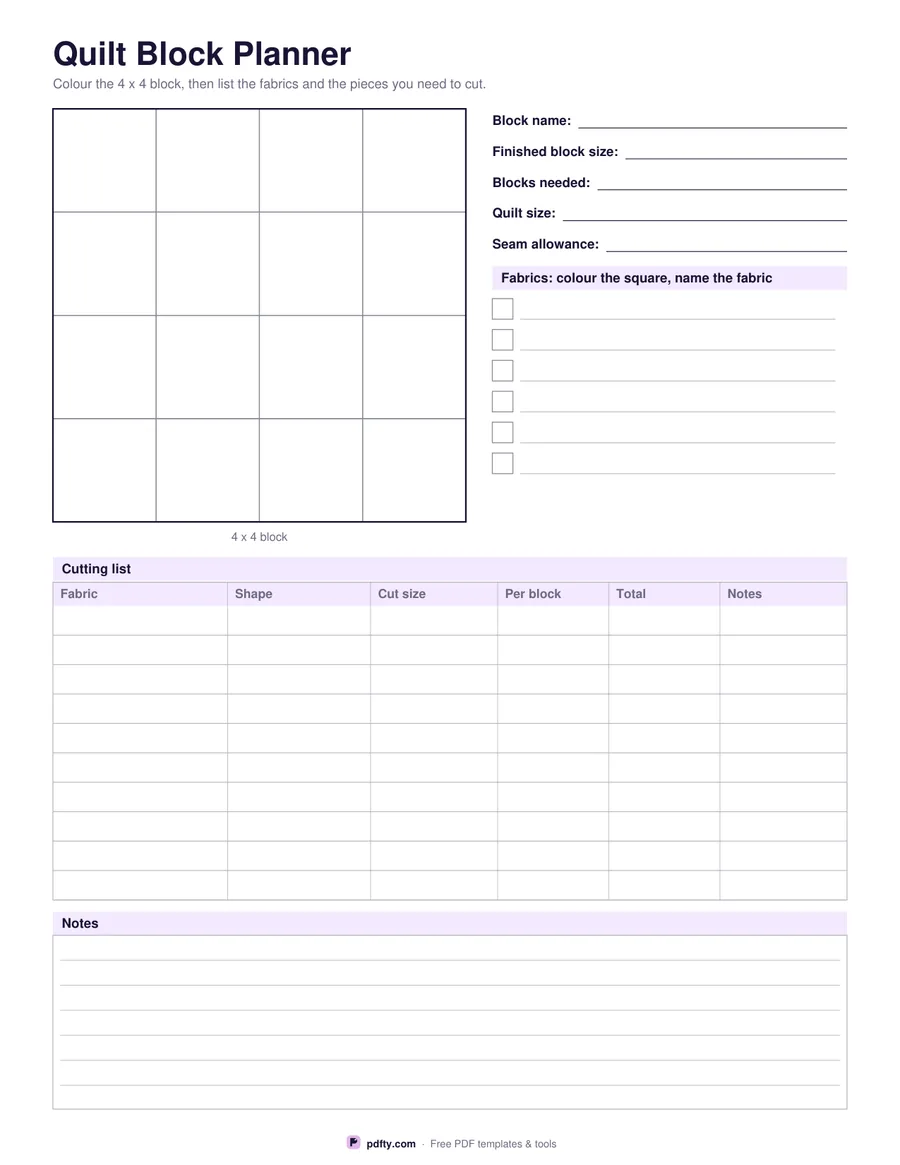
Printable quilt block planner with a block grid to colour, fabric swatches and a cutting list
Block grid
Paper size
Fill & edit free online

Free · no watermark · no sign-up for your first 20 downloads a day

Fillable PDF — type into the fields online or in any PDF viewer before printing.

The block grid fills the top left of the page at about four inches square, divided into a three by three, four by four or five by five layout depending on the option you choose. The cells are large enough to colour with pencils or markers, and the outer edge is drawn heavier so the block reads as a block rather than as graph paper. Draw diagonals inside a cell when you want half square triangles; the grid does not force any particular piecing.

Beside the grid are lines for the block name, the finished block size, how many blocks you need, the finished quilt size and the seam allowance you are working to, then six small squares to colour with the fabrics you plan to use, each with a line to name the fabric or the collection. Colouring the swatches in the same pencils you used on the block keeps the key and the drawing honest.

The cutting list underneath has ten rows and six columns: fabric, shape, cut size, how many per block, how many in total and a notes column for pressing or sub-cutting. Filling it in before you cut is what stops the third fabric running out. A short ruled notes block sits at the bottom. The grid and swatches are for colouring by hand; every cell of the cutting list and all the detail lines are fillable.
How to use it

  1. 1

    Choose the block grid

    3 x 3 for a nine patch, 4 x 4 for a sixteen patch or disappearing nine patch, 5 x 5 for a sampler block.

  2. 2

    Print or fill it in

    Print at 100% ("Actual size") so lines and boxes keep their exact spacing, or fill the form fields on screen in any PDF viewer.

  3. 3

    Colour the block and the swatches

    Shade the cells with the fabrics you have in mind, then colour the six swatch squares to match and name each fabric.

  4. 4

    Work out the cutting list

    Count the squares of each colour, add your seam allowance to the finished size and fill in the cutting table before you cut anything.

Frequently asked questions

Yes. There is no watermark and no sign-up for your first 20 downloads each day; after that a free account keeps downloads going. You may print the file as often as you like for personal, school or business use.
Yes. The cutting list, the fabric names and the block details are form fields. The block grid and the swatch squares are meant to be coloured by hand after printing.
About four inches square on US Letter, a touch under that on A4, so the cells of a 4 x 4 block are an inch each.
No. The grid shows the finished block; there is a line to write the seam allowance you are using and a cut size column in the cutting list.
Yes. Draw a diagonal across any cell and colour the two halves separately, then list the triangles in the cutting list.
Yes, print as many as you like. Most quilters work through several colourings of the same block before choosing one.

More free templates

Work with your PDF