Printable Harvest Log (Free PDF)
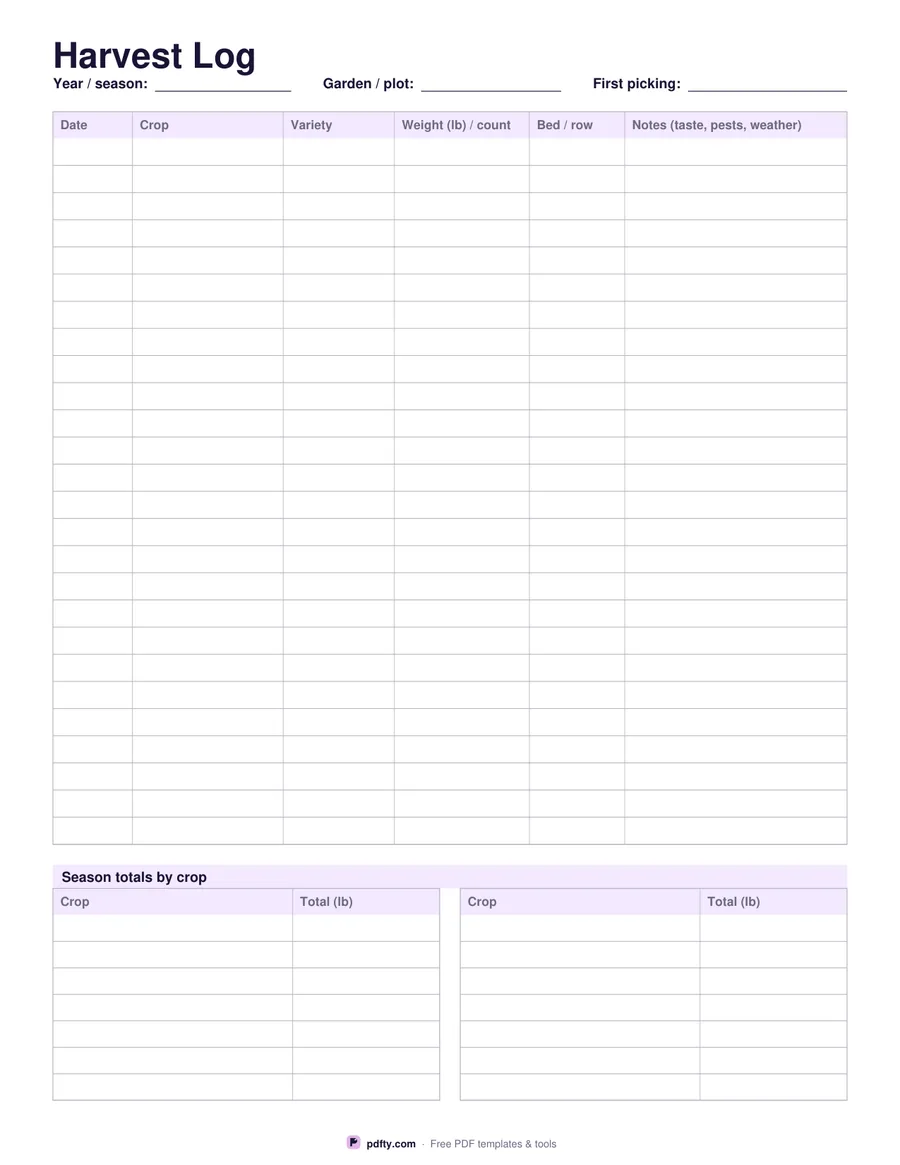
Twenty-six picking rows and a season totals table, so you find out at the end of the year what the plot actually produced.
Free · no watermark · no sign-up for your first 20 downloads a day
Fillable PDF — type into the fields online or in any PDF viewer before printing.
Six columns take each picking: date, crop, variety, weight or count, the bed or row it came from, and notes for taste, pests or weather. Recording the variety and the bed alongside the weight is what turns a log into something useful next February, when you are sitting with a seed catalogue deciding what to order and where to put it, and trying to remember whether it was the row by the fence or the one by the shed that did nothing all summer.
Under the main table a season totals section gives you fourteen crop rows in two columns, so the running weight for tomatoes or beans ends up in one place instead of scattered over twenty-six lines further up the page. Choose pounds or kilos before downloading and both the picking column and the totals table print that unit, so a sheet filled in by two people in the same household still adds up to something.
The weight-or-count column is deliberately one column: courgettes get weighed, cucumbers get counted, and both are legitimate. Every cell is a form field, so the sheet can be filled on a phone at the end of a row, though most gardeners print it and keep it in the shed with a pencil. One page in US Letter or A4. Keep the sheets from several years together and the comparison between seasons becomes the most interesting thing in the folder.