Printable Compost Log (Free PDF)
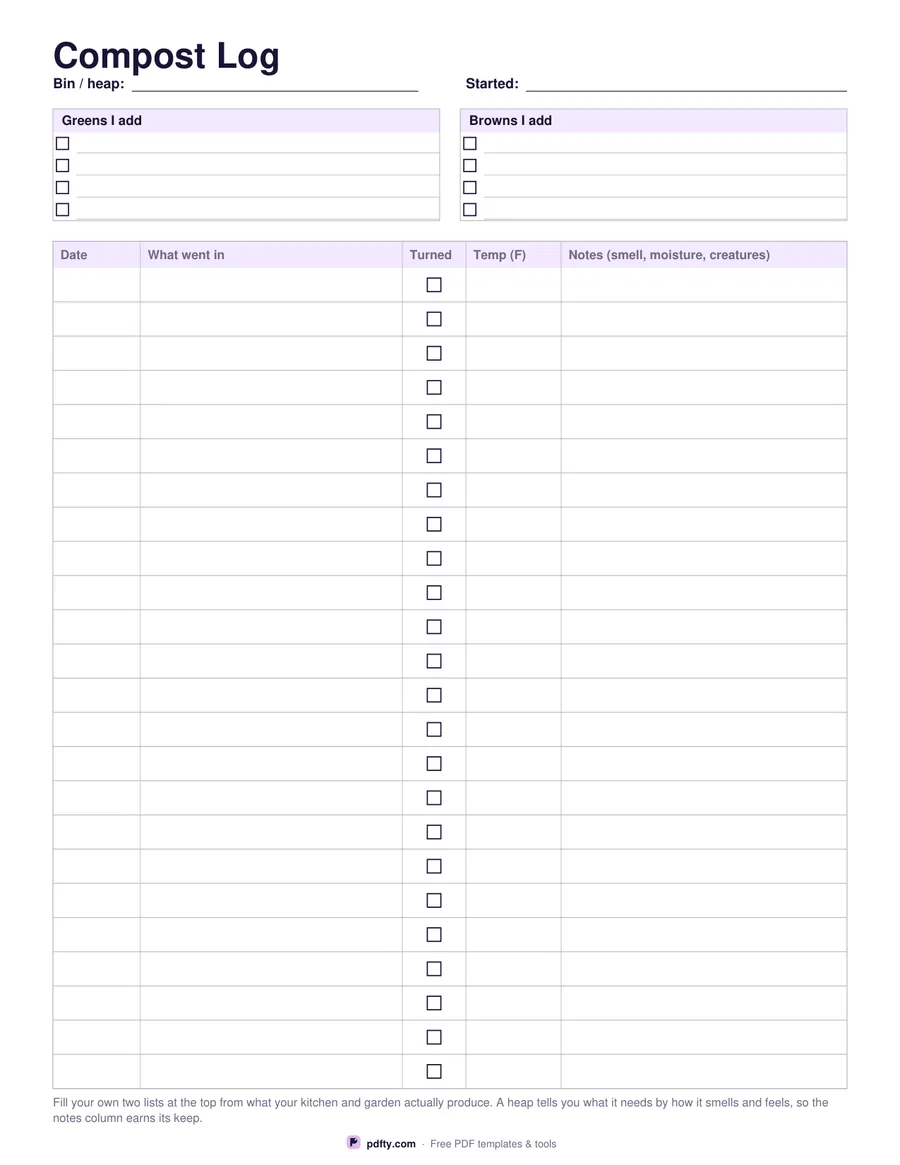
Twenty-four rows for what went on the heap, whether you turned it and what the temperature was, with your own greens and browns lists at the top.
Free · no watermark · no sign-up for your first 20 downloads a day
Fillable PDF — type into the fields online or in any PDF viewer before printing.
The table takes five columns: date, what went in, a checkbox for whether you turned it, the temperature, and notes for smell, moisture and what is living in there. Twenty-four rows carry a season of weekly additions. Choose Fahrenheit or Celsius before downloading and the temperature column header prints that unit, which matters if anyone else ever reads the sheet or if you are comparing one year against another.
At the top are two short lists, headed Greens I add and Browns I add, and both are blank. What your heap gets depends entirely on your kitchen and your garden — grass, coffee grounds, leaves, shredded card, chicken bedding — so the sheet gives you the two columns and lets you fill them from what you actually have, rather than printing a recipe that fits somebody else's garden.
A compost heap mostly tells you what it needs through how it smells, how wet it is and how fast it heats, which is why the notes column is the widest on the page. Keep the sheet in the shed or on the inside of the bin lid, write a line each time you add a barrow load, and a year of entries will show you which combinations got hot and which sat there. One page in US Letter or A4, with every cell fillable if you would rather type it up.