Printable Flight Itinerary (Free PDF)

Every leg of the journey in its own block — airline, flight number, terminals, times, seats and reference — with a connections strip at the foot.
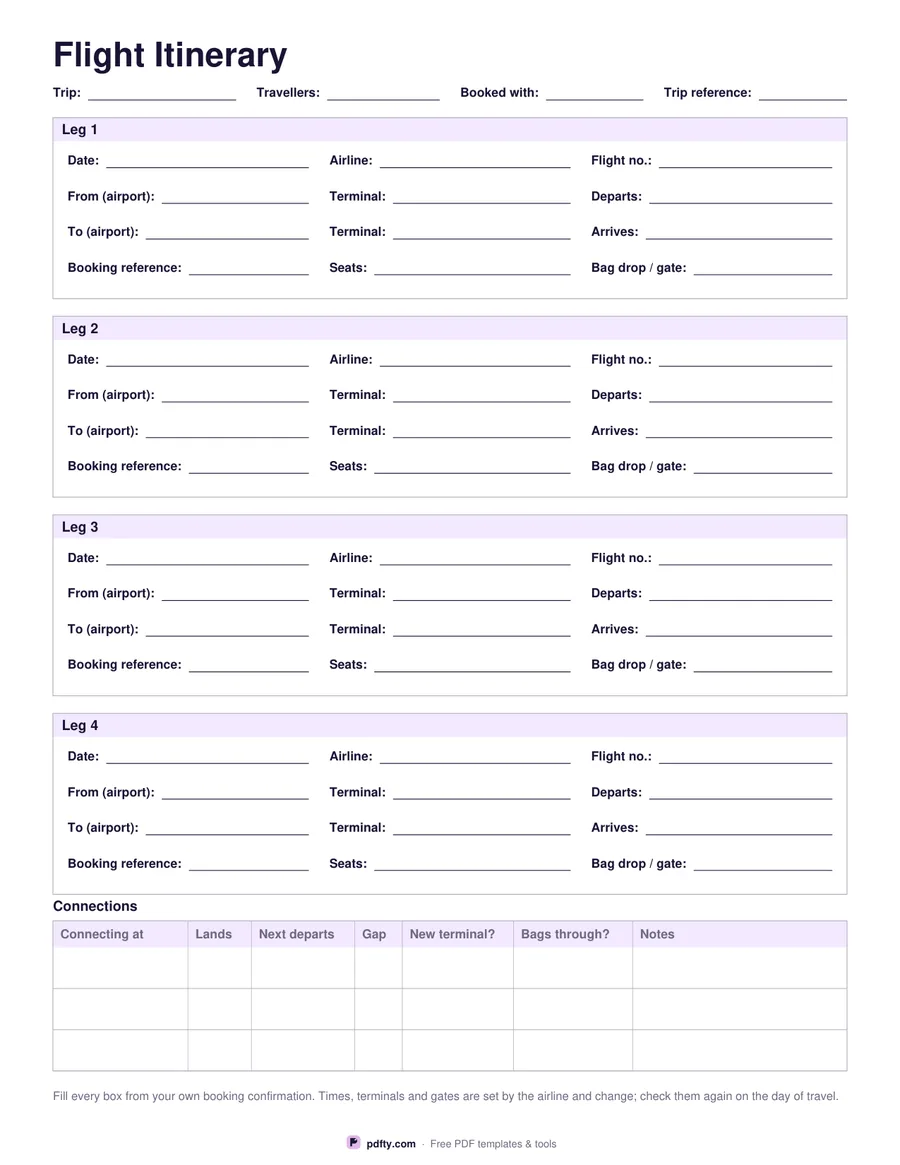
Printable flight itinerary with a block per leg for airline, flight number, terminals, times and seats
Flights
Paper size
Fill & edit free online

Free · no watermark · no sign-up for your first 20 downloads a day

Fillable PDF — type into the fields online or in any PDF viewer before printing.

Each leg gets its own bordered block with a heading. Inside are the details you end up hunting through an email for: date, airline and flight number; the airport you leave from with its terminal and departure time; the airport you arrive at with its terminal and arrival time; and the booking reference, seats and bag drop or gate. Written out on one page, a four-flight trip stops being four separate screenshots.

Choose two legs or four. Four blocks suit an outbound and return with a connection each way. Two blocks give each leg more room and add lines for the travellers on that leg, class and fare, frequent flyer number, baggage allowance, extras booked, meal or assistance, how you are getting to the airport, what time you leave home, parking or drop-off, and a notes line.

At the foot, a connections table takes three rows: where you connect, when you land, when the next flight departs, the gap between them, whether it is a new terminal and whether the bags are checked through. Those are questions to put to your airline — the sheet records their answers, it does not supply them. Every line is a form field, so you can type the itinerary once and print a copy for each traveller. One page, US Letter or A4.
How to use it

  1. 1

    Choose two legs or four

    Four for a return with connections; two when you want baggage, seats, fares and airport transport written out as well.

  2. 2

    Copy from the confirmation

    Fill each block from your own booking email: date, airline, flight number, airports, terminals, times, reference and seats.

  3. 3

    Print or fill it in

    Print at 100% ("Actual size") so lines and boxes keep their exact spacing, or fill the form fields on screen in any PDF viewer.

  4. 4

    Fill the connections strip

    Landing time, next departure, the gap, whether the terminal changes and whether the bags go through — check each with your airline and write down what they say.

Frequently asked questions

Yes. There is no watermark and no sign-up for your first 20 downloads each day; after that a free account keeps downloads going. You may print the file as often as you like for personal, school or business use.
Two or four leg blocks, depending on the version you pick, plus a three-row connections table at the foot.
No. Minimum connection times are set by the airport and the airline and differ by route and ticket, so the sheet gives you a column to write down what they tell you.
Yes. Every line in every leg block and every cell in the connections table is a PDF form field, so you can fill it in, save it and email it to whoever you are travelling with.
No. It is a plain summary sheet you fill in yourself from your own confirmation — useful at a desk, in a taxi or when your phone is flat.
Yes, with a little licence: the terminal lines become platforms or berths and the flight number becomes the service number.

More free templates

Work with your PDF