Scrapbook Layout Planner (Free Printable PDF)

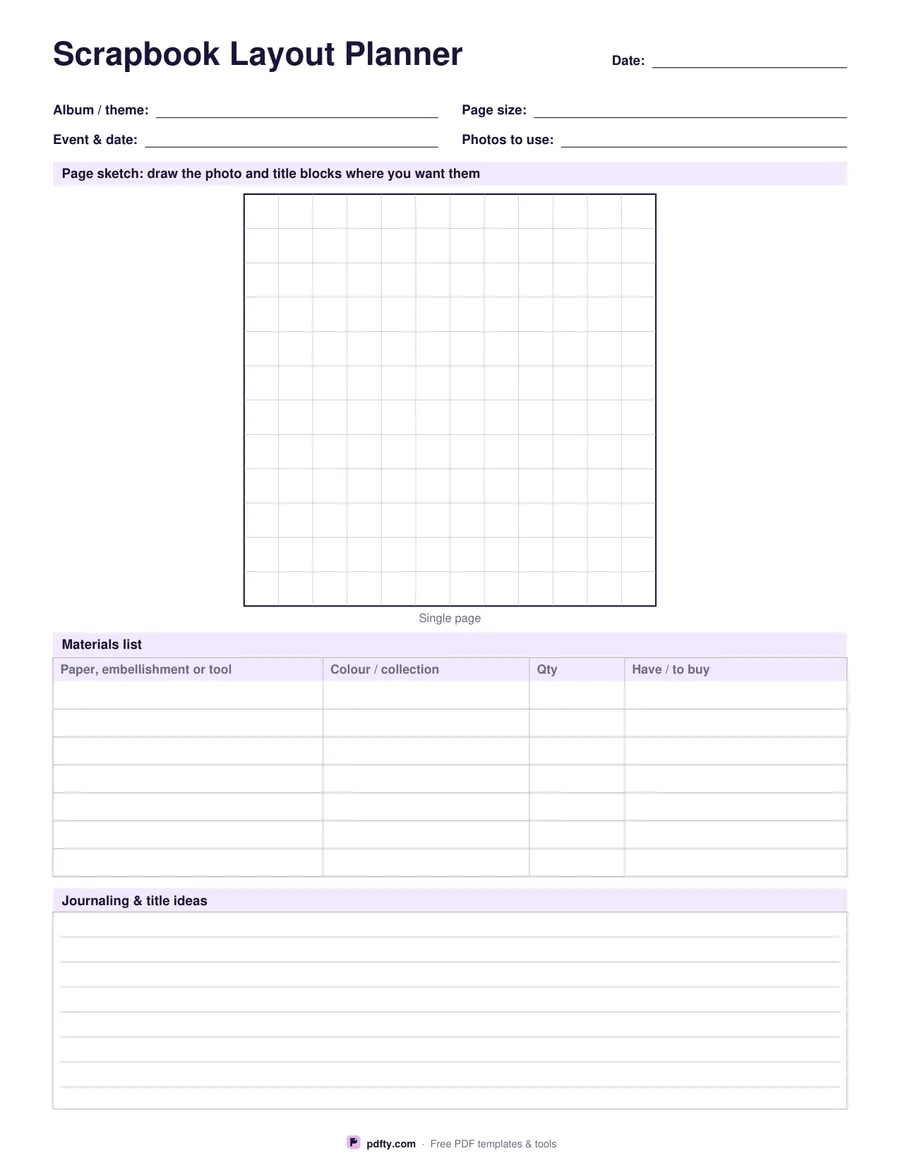
Sketch the page before you cut anything: a square sketch box on a faint grid, a materials list for the papers and embellishments, and room for title and journaling ideas.
Printable scrapbook layout planner with a page sketch box and materials list
Sketch box
Paper size
Fill & edit free online

Free · no watermark · no sign-up for your first 20 downloads a day

Fillable PDF — type into the fields online or in any PDF viewer before printing.

At the top are four lines for the album or theme, the page size you are working to, the event and its date, and how many photos you want to fit. Under them is the sketch box: either one large square for a single page or two squares side by side for a two-page spread, drawn with a heavy outline and a faint grid inside. Block in the photos, the title and the journaling card with a pencil, and move them around before any paper is trimmed.

The grid inside the sketch is there to keep proportions honest. On a single page it is twelve divisions across, so a twelve inch square page reads an inch to a division and a three by four photo takes three divisions by four. Sketching at that scale shows straight away whether five photos really fit or whether one of them has to be cropped smaller.

The materials list below holds seven rows: the paper, embellishment or tool, its colour or collection, the quantity you need and whether you already have it or still need to buy it. The last block is ruled for the title and the journaling you plan to write. All the lines and table cells are form fields, so you can plan a batch of pages on screen and print the list to take to the craft shop.
How to use it

  1. 1

    Choose single page or spread

    One large square for a single scrapbook page, or two squares side by side when you are planning a facing spread.

  2. 2

    Print or fill it in

    Print at 100% ("Actual size") so lines and boxes keep their exact spacing, or fill the form fields on screen in any PDF viewer.

  3. 3

    Sketch the layout

    Draw the photo blocks, the title and the journaling card inside the grid, counting divisions to keep the sizes realistic.

  4. 4

    List what you need

    Fill in the materials table with papers, embellishments and tools, and mark what you still have to buy.

Frequently asked questions

Yes. There is no watermark and no sign-up for your first 20 downloads each day; after that a free account keeps downloads going. You may print the file as often as you like for personal, school or business use.
Yes. Every box and line on the sheet is a PDF form field, so you can fill it in Adobe Reader, Preview, Chrome or Edge and print a tidy copy, or print it blank and write by hand.
None in particular. The sketch box is square with twelve divisions, so it suits a 12 x 12 page at an inch a division, or any other square format at a different scale.
Seven, each with columns for colour or collection, quantity and whether you have it or need to buy it.
Print one sheet per page or spread. Many scrapbookers keep the planned sheets in the album box with the photos until they are made.
Yes. Open the PDF in an annotation app such as GoodNotes, Notability or Xodo and write on it with a stylus, or fill the form fields and keep the file with your other project notes.

More free templates

Work with your PDF